GUIKit Example: ThreadedCounter
GUIKit Example: ThreadedCounter
The functionality provided by GUIKit has been superseded by the interface construction and controls functions native to the built-in Wolfram Language.
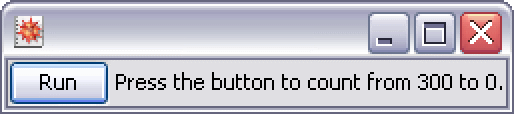
Needs["GUIKit`"]ThreadedCounter[] := GUIRun[
Widget["Panel", WidgetGroup[{
Widget["Button", {
"text" -> "Run",
BindEvent["action",
Script[
SetPropertyValue[{"button", "enabled"}, False, InvokeThread -> "Dispatch"];
Do[
SetPropertyValue[{"label", "text"}, "Current value is " <> ToString[i],
InvokeThread -> "Dispatch"],
{i, 300, 0, -1}];
SetPropertyValue[{"label", "text"}, "Press the button to count from 300 to 0.",
InvokeThread -> "Dispatch"];
SetPropertyValue[{"button", "enabled"}, True, InvokeThread -> "Dispatch"];
],
InvokeThread -> "New"]
}, Name -> "button"], Widget["Label", {"text" -> "Press the button to count from 300 to 0."}, Name -> "label"]
}, WidgetLayout -> Row] ]
]Example
This example demonstrates how you can use the InvokeThread option of user interface functions to allow user interface updates to be visible when performing a long Wolfram Language calculation by threading the calculation and ensuring that user interface update requests occur on the event dispatching thread.
ThreadedCounter[]