Create an Image Processing Website
WORKFLOW
Create an Image Processing Website
Create a FormFunction that processes images
Here is an example of an image processing function that makes a line drawing from an image:
ColorNegate[EdgeDetect[[image]]]Create a corresponding FormFunction that makes a line drawing from a given image:


| |

| |

| |
Deploy the image processing FormFunction
Deploy the FormFunction to the Wolfram Cloud to create an image processing website, specifying Permissions->"Public" to give anyone access to it:

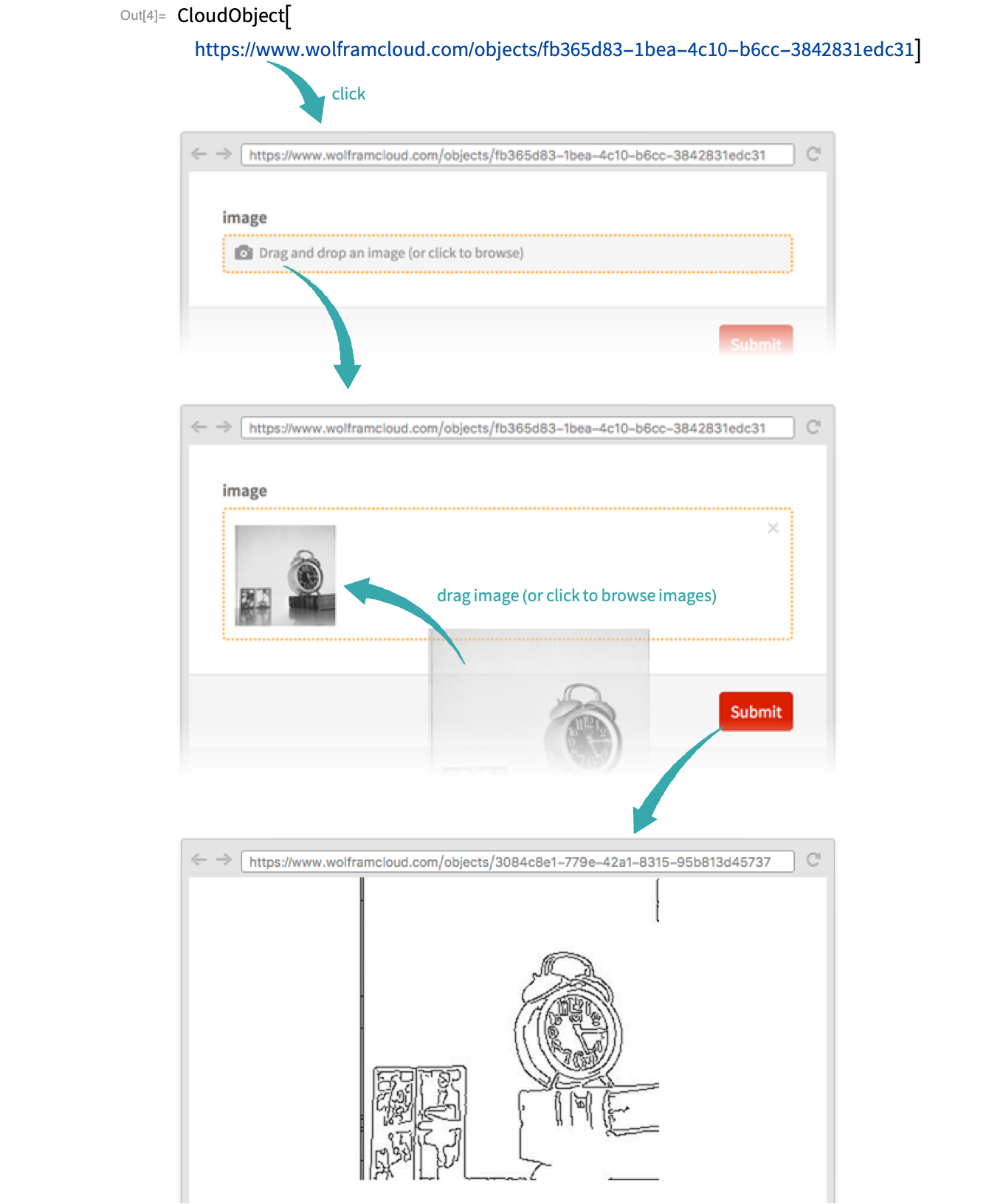
CloudObject["https://www.wolframcloud.com/objects/fb365d83-1bea-4c10-b6cc-3842831edc31"]Use the image processing website
Click the link in the CloudObject output of CloudDeploy to visit the image processing website:
Add a title and descriptions to the website
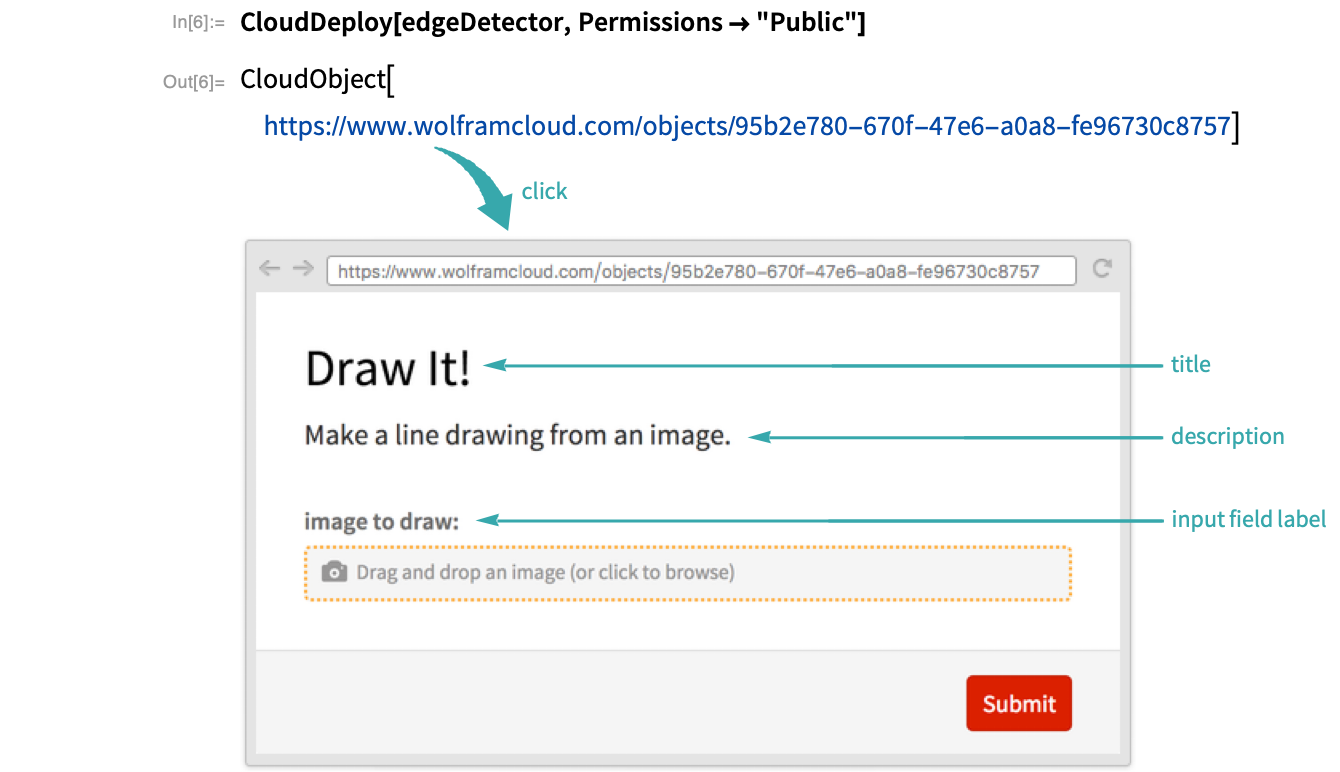
Add a title and description to the image processing website, and descriptive labeling of the input field:

Deploy the updated FormFunction: