Programmatically Insert a Cell in a Notebook
WORKFLOW
Programmatically Insert a Cell in a Notebook
After the Cell Being Evaluated...
Insert an input cell after the cell that is being evaluated:

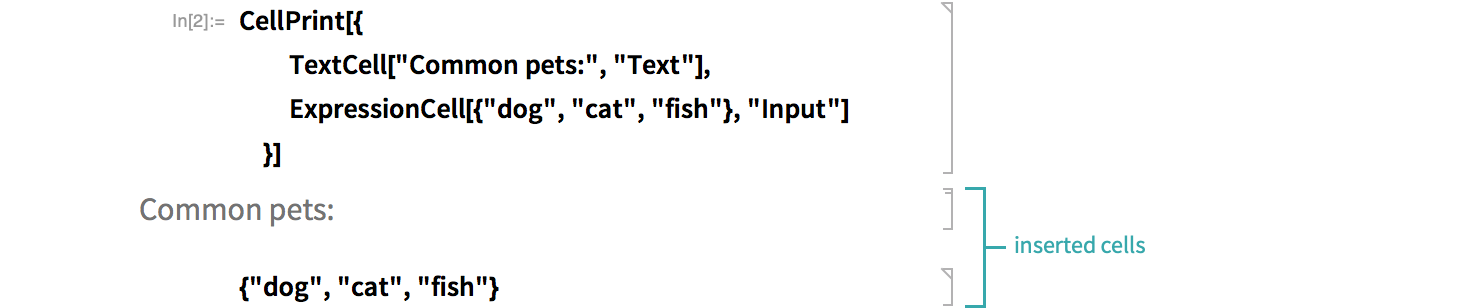
Insert both a text cell and an input cell:
At the Current Selection...
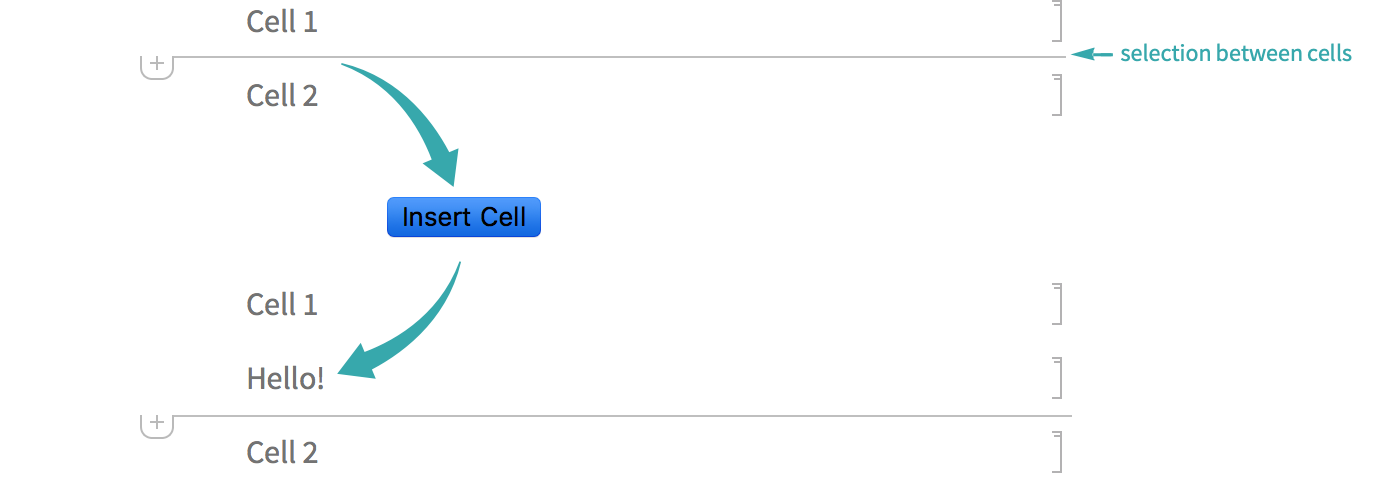
Make a button that inserts a text cell at the current selection:
Button["Insert Cell", NotebookWrite[InputNotebook[], Cell["Hello!", "Text"]]]Use the button to insert a cell at the current selection:
Notes
Wrap the first argument of ExpressionCell with Defer to prevent it from evaluating:
CellPrint[ExpressionCell[Defer[2 + 2], "Input"]]2 + 2NotebookWrite is a low-level function that requires low-level representations of typeset cells, typically constructed using Cell, BoxData and ToBoxes:
NotebookWrite[InputNotebook[], Cell[BoxData[ToBoxes[{1, 2, 3}]], "Input"]]{1, 2, 3}