Write Unit Tests
Using a Testing Notebook...
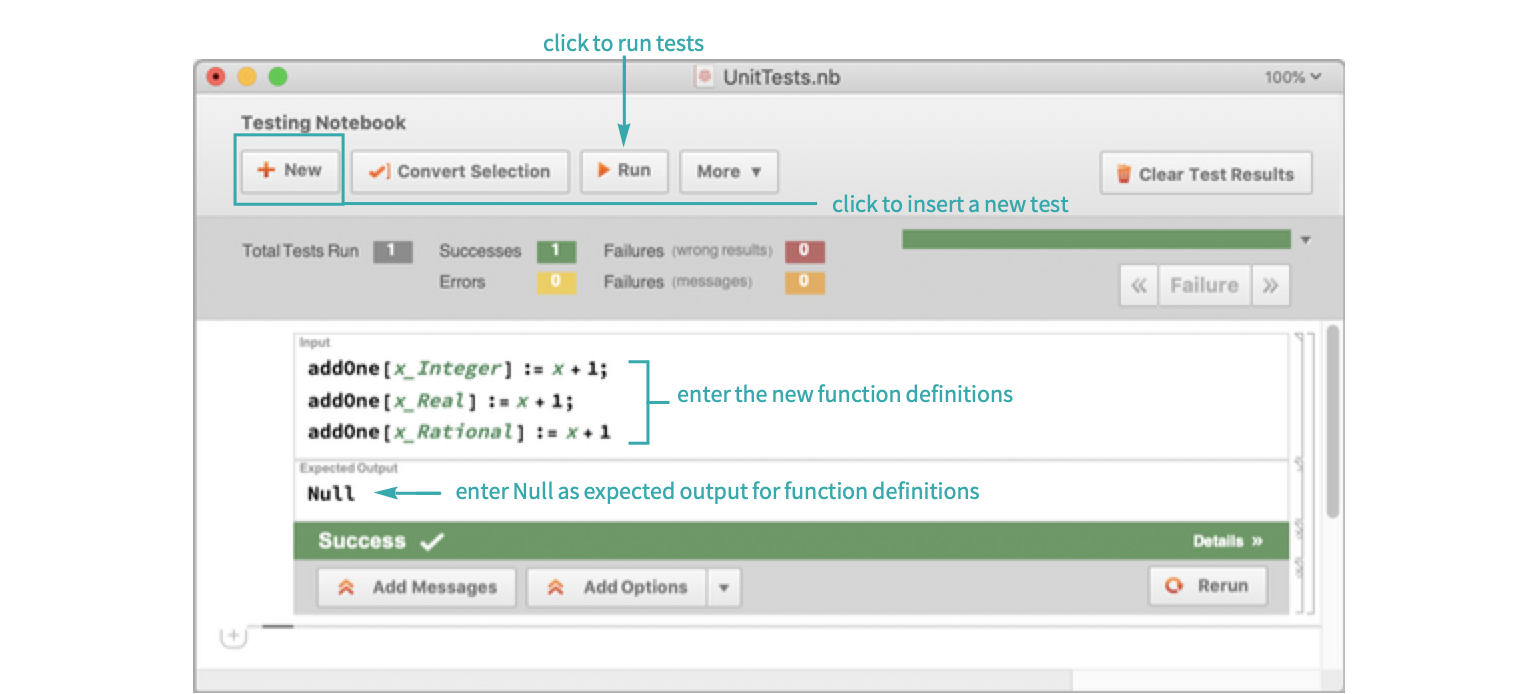
Create a function
Open a new testing notebook by going into the file menu and choosing New ▶ Programmatic Notebook ▶ Testing Notebook. Create a function and overload it for multiple cases:
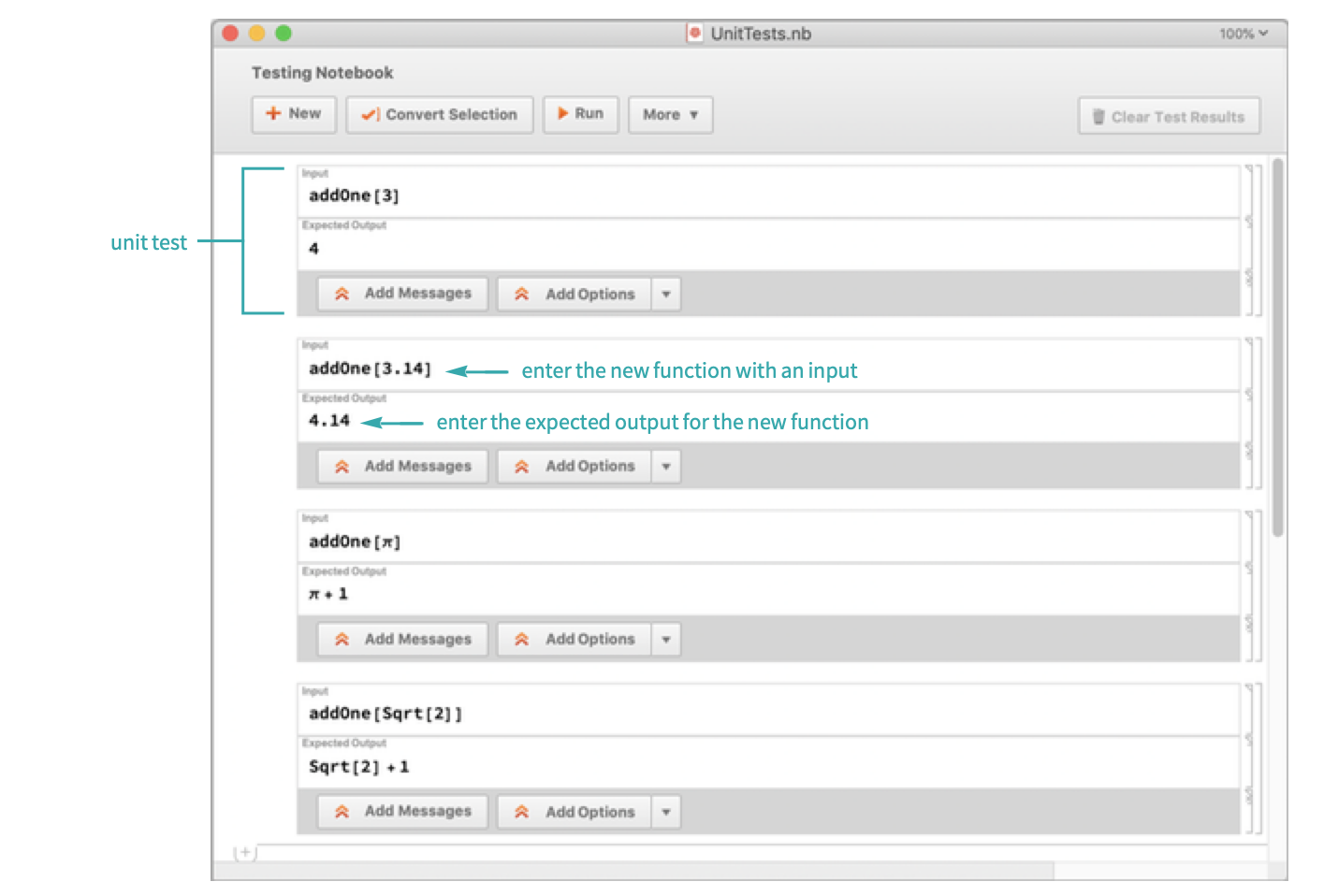
Write the test cases
Create four test cases for the new function:
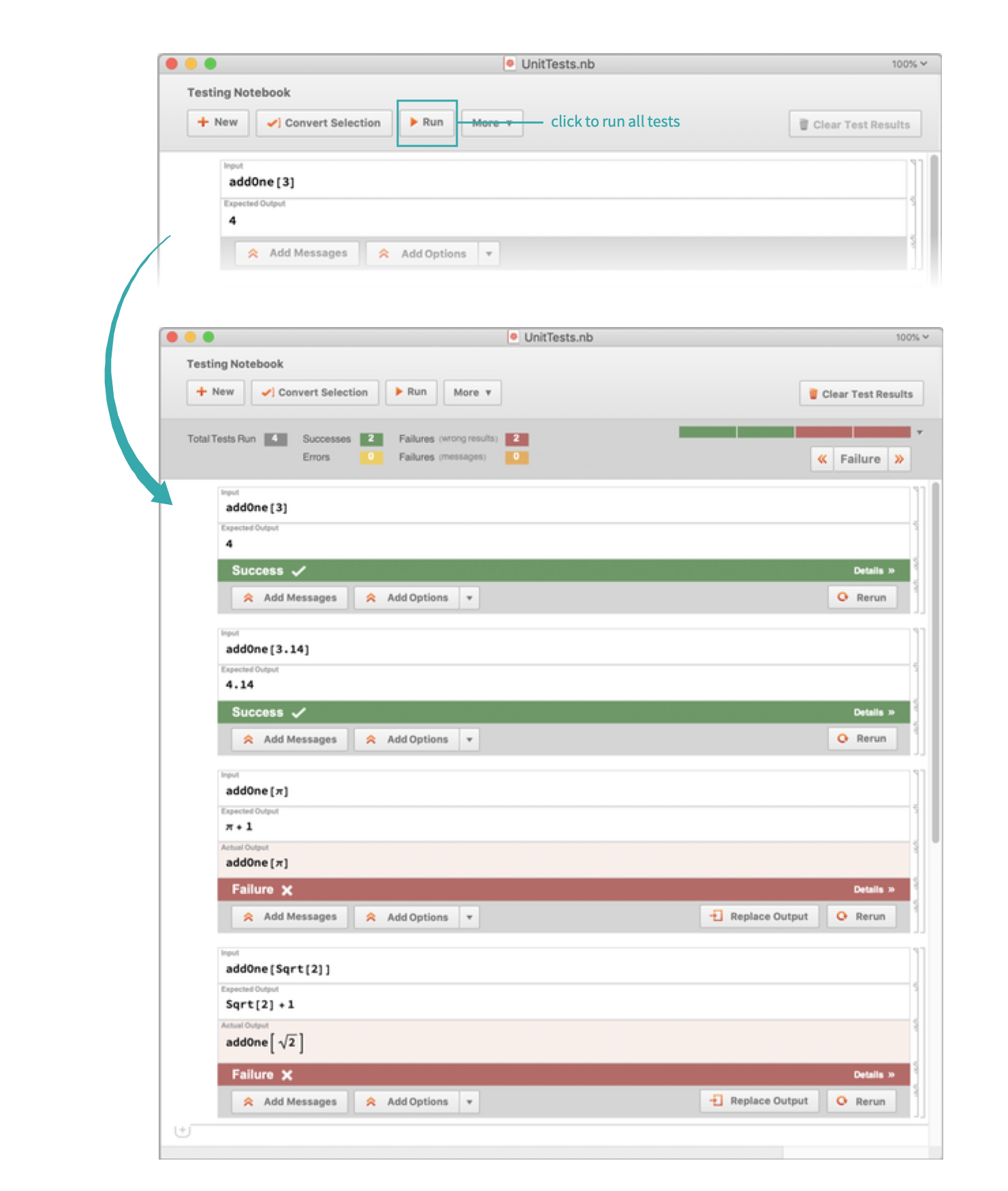
Run the tests
Run all the test cases in the testing notebook:
Programmatically...
Create a function
Create a function and overload it for multiple cases:
addOne[x_Integer] := x + 1;
addOne[x_Real] := x + 1;
addOne[x_Rational] := x + 1;
addOne[x_] := x + 1;
Write and run the test cases
Using TestCreate, write tests that cover the defined cases:
tests = {
	TestCreate[addOne[3], 4],
	TestCreate[addOne[3.14], 4.14],
	TestCreate[addOne[π], π + 1],
	TestCreate[addOne[Sqrt[2]], Sqrt[2] + 1]
	}
Use TestReport to run multiple tests at once:
report = TestReport[tests]Extract the test results
Use the "ResultsDataset" property to extract the properties of each test case and visualize them separately as a Dataset:
report["ResultsDataset"]