WriteDataSource


DatabaseLink`
DatabaseLink`
WriteDataSource
WriteDataSource[name]
writes a new HSQL data source name.
WriteDataSource[name,database]
writes a new data source for database.
Details and Options
- To use WriteDataSource, you first need to load DatabaseLink using Needs["DatabaseLink`"].
- The following options can be given:
-
"Description" "" textual description of the data source "URL" Automatic URL to use in the JDBC setting "Username" Automatic username for the connection "Password" Automatic password for the connection "Properties" {} properties to set for this connection "Location" User where to install the data source "RelativePath" Automatic whether file-based databases have a relative path "UseConnectionPool" Automatic whether a connection pool should be used "ReadOnly" Automatic whether the connection should be read only
Examples
Basic Examples (2)
Needs["DatabaseLink`"]Create a new data source named testSource that will use the HSQL database:
WriteDataSource["testSource"]Open a connection to the new source:
conn = OpenSQLConnection["testSource"]SQLConnectionInformation[conn]//ShortCloseSQLConnection[conn];Needs["DatabaseLink`"]Create a new data source that includes the Username and Password and is available to the executing user:
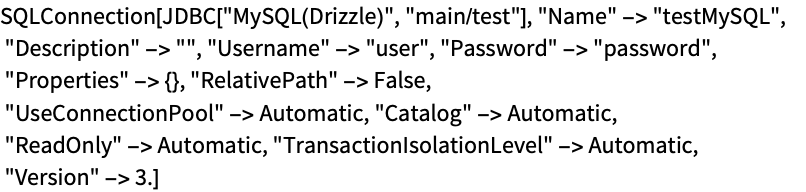
WriteDataSource["testMySQL", "MySQL(Drizzle)", URL -> "main/test", Username -> "user", Password -> "password", Location -> "User"]View the created configuration file:
FilePrint[FileNameJoin[{$UserBaseDirectory, "DatabaseResources", "testMySQL.m"}]
	]