How to | Import a Spreadsheet
How to | Import a Spreadsheet
You can import spreadsheets created in a variety of formats to take advantage of the Wolfram Language's rich data manipulation and visualization capabilities.
Selected examples from the video:
The spreadsheet "population.xls" is included in the Wolfram Language documentation folder ExampleData:
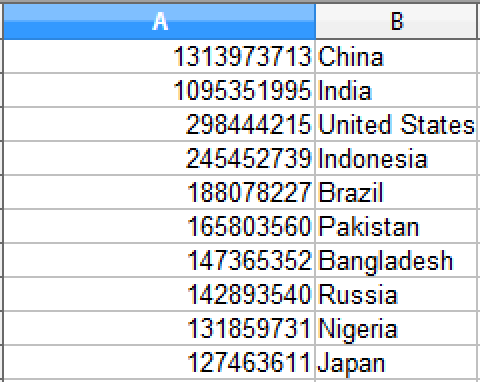
Import the spreadsheet and set it to s:
s = Import["ExampleData/population.xls"]Display the first worksheet of the spreadsheet s in a grid:
s[[1]]//GridYou can also import specific rows and columns of a spreadsheet.
Import only the first 3 rows of the spreadsheet:
Import["ExampleData/population.xls", {"Data", 1, {1, 2, 3}}]Import only the first column of the first 3 rows of the spreadsheet:
Import["ExampleData/population.xls", {"Data", 1, {1, 2, 3}, 1}]Import only the second column of the first 3 rows of the spreadsheet:
Import["ExampleData/population.xls", {"Data", 1, {1, 2, 3}, 2}]Import only row 3 of the spreadsheet:
Import["ExampleData/population.xls", {"Data", 1, 3}]