

CellLabelAutoDelete
is an option for Cell which specifies whether a label for the cell should be automatically deleted if the contents of the cell are modified or the notebook containing the cell is saved in a file.
Details
- CellLabelAutoDelete->Automatic indicates that labels should only be deleted if the cell is modified. Unmodified cells that are saved to a file will preserve their cell labels.
- Cell styles that represent Wolfram System input and output typically have CellLabelAutoDelete->True.
- CellLabelAutoDelete is more often set for styles of cells than for individual cells.
Examples
open all close allBasic Examples (1)
Create a notebook with the setting CellLabelAutoDelete->True:
nb = CreateDocument[{ExpressionCell[Defer[1 + 1], "Input"], ExpressionCell[Defer[2 + 2], "Input"]}, CellLabelAutoDelete -> True];
When inputs are evaluated, cell labels are attached to the input and output cells:
SelectionMove[nb, All, Notebook];SelectionEvaluate[nb]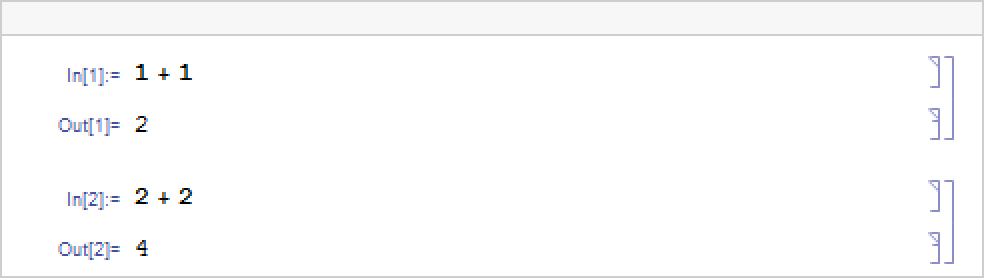
If you edit a previously evaluated input cell, its cell label is cleared:
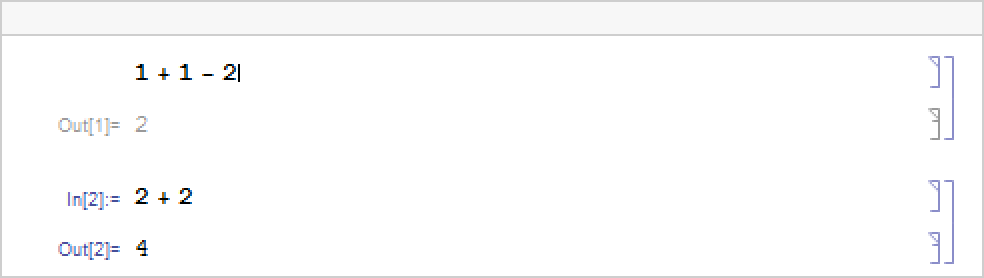
When the notebook is saved, cell labels are automatically deleted:
temp = CreateFile[] <> ".nb";
NotebookSave[nb, temp]NotebookClose[nb]When the notebook is reopened, no cell labels are present:
nb = NotebookOpen[temp];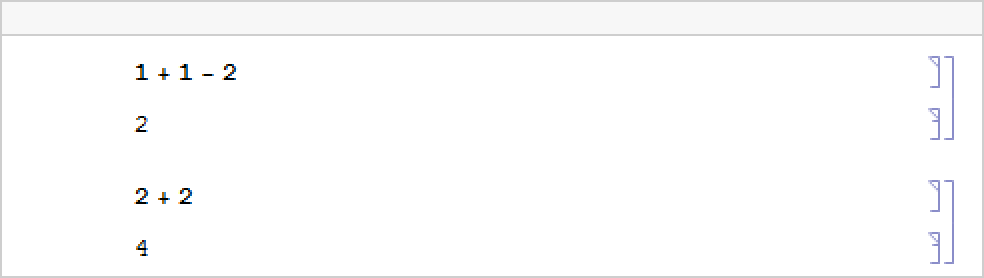
Close the notebook again and delete the temporary file:
NotebookClose[nb];
DeleteFile[temp]
Scope (1)
Create a notebook with the setting CellLabelAutoDelete->False:
nb = CreateDocument[{ExpressionCell[Defer[1 + 1], "Input"], ExpressionCell[Defer[2 + 2], "Input"]}, CellLabelAutoDelete -> False];
When inputs are evaluated, cell labels are attached to the input and output cells:
SelectionMove[nb, All, Notebook];SelectionEvaluate[nb]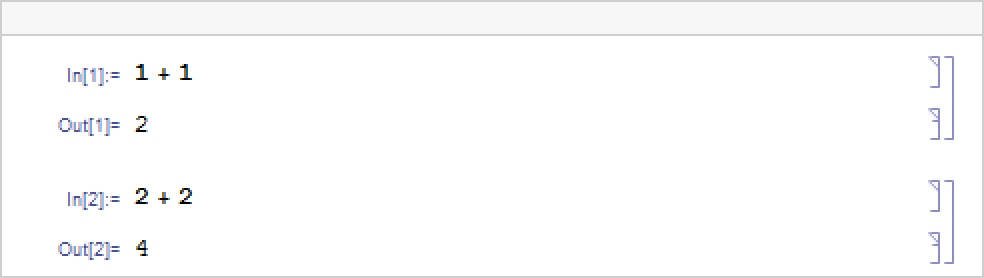
Because CellLabelAutoDelete is turned off, editing an input does not reset its cell label:
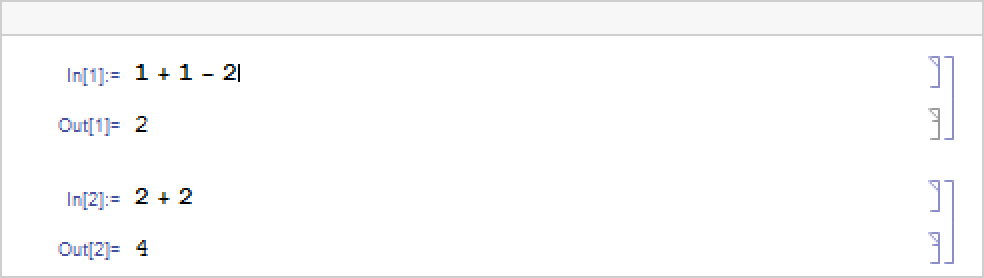
Neither does saving and reopening the notebook:
temp = CreateFile[] <> ".nb";
NotebookSave[nb, temp]NotebookClose[nb]When the notebook is reopened, the cell labels are still present:
nb = NotebookOpen[temp];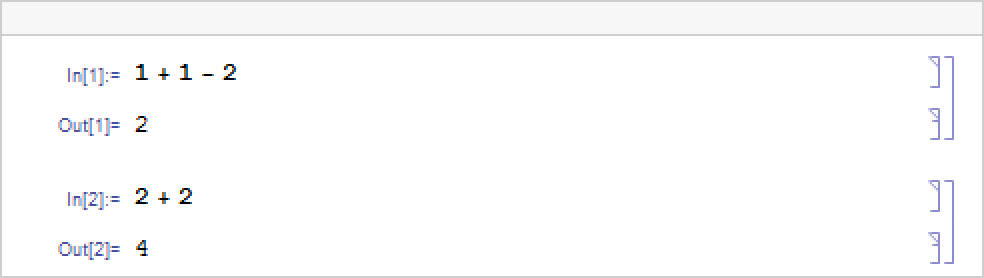
Close the notebook again and delete the temporary file:
NotebookClose[nb];
DeleteFile[temp]Text
Wolfram Research (1996), CellLabelAutoDelete, Wolfram Language function, https://reference.wolfram.com/language/ref/CellLabelAutoDelete.html (updated 2018).
CMS
Wolfram Language. 1996. "CellLabelAutoDelete." Wolfram Language & System Documentation Center. Wolfram Research. Last Modified 2018. https://reference.wolfram.com/language/ref/CellLabelAutoDelete.html.
APA
Wolfram Language. (1996). CellLabelAutoDelete. Wolfram Language & System Documentation Center. Retrieved from https://reference.wolfram.com/language/ref/CellLabelAutoDelete.html