

CreateWindow
creates an empty window in the front end.
CreateWindow[expr]
creates a window displaying the notebook expression expr, and opens it in the front end.
CreateWindow[expr,obj]
replaces the notebook represented by the notebook object obj with the one obtained from expr.
Details and Options
- The notebook expression expr can be DocumentNotebook, PaletteNotebook, or DialogNotebook.
- CreateWindow can take any notebook option.
- CreateWindow[Visible->False] creates a new invisible window.
- CreateWindow[expr,obj] overwrites the entire contents of the notebook represented by the notebook object obj. »
Examples
open all close allBasic Examples (2)
Create a blank notebook window:
CreateWindow[];
Create a notebook window with specified contents:
nb = CreateWindow[DocumentNotebook[{a, b, c}]];
Replace the contents of an existing window:
CreateWindow[DocumentNotebook[{1, 2}], nb];
Scope (2)
CreateWindow[PaletteNotebook[{"Square root", Button[Sqrt[π], p = N[Sqrt[π]]]}]];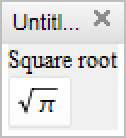
CreateWindow[DialogNotebook[{TextCell["Enter a name: "], InputField[Dynamic[nm], String], DefaultButton[DialogReturn[ret = nm]]}]];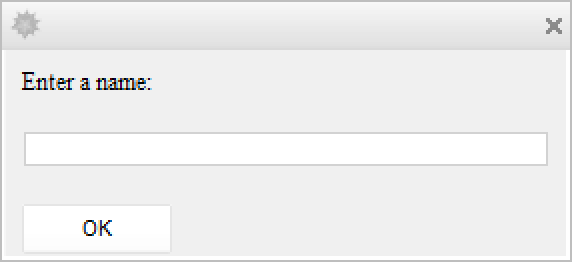
Options (5)
Background (1)

CellDingbat (1)

CellGrouping (1)

TextAlignment (1)


Properties & Relations (5)
DocumentNotebook creates an in-cell representation of a notebook document:
DocumentNotebook[{x + y, 1 / x + 1 / y}]CreateWindow puts the document into its own window:
CreateWindow[%];
PaletteNotebook and DialogNotebook create representations of specialized notebooks:
PaletteNotebook[{PasteButton[Grid[{{a, b}, {c, d}}]]}]DialogNotebook[{TextCell[Row[{"Your name:", InputField[]}]]}]Use CreateWindow to put a palette or dialog expression into its own notebook window:
CreateWindow[%];
CreateDocument is essentially a combination of DocumentNotebook and CreateWindow:
CreateDocument[{x + y, 1 / x + 1 / y}];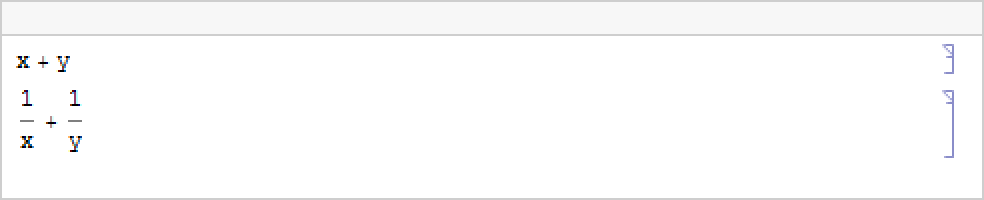
CreatePalette acts like a combination of PaletteNotebook and CreateWindow:
CreatePalette[{"Square root", Button[Sqrt[π], p = N[Sqrt[π]]]}];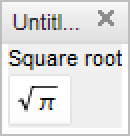
CreateDialog acts like a combination of DialogNotebook and CreateWindow:
CreateDialog[{"Click OK to close", DefaultButton[]}];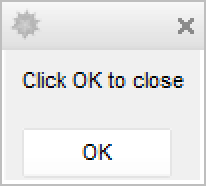
Text
Wolfram Research (2007), CreateWindow, Wolfram Language function, https://reference.wolfram.com/language/ref/CreateWindow.html.
CMS
Wolfram Language. 2007. "CreateWindow." Wolfram Language & System Documentation Center. Wolfram Research. https://reference.wolfram.com/language/ref/CreateWindow.html.
APA
Wolfram Language. (2007). CreateWindow. Wolfram Language & System Documentation Center. Retrieved from https://reference.wolfram.com/language/ref/CreateWindow.html