

NotebookPut
NotebookPut[expr]
creates a notebook corresponding to expr and makes it the currently selected notebook in the front end.
creates a new empty notebook.
NotebookPut[expr,obj]
replaces the notebook represented by the notebook object obj with one corresponding to expr.
Details and Options
- NotebookPut is a low-level function that allows you to take a raw notebook expression in the kernel and make it an open notebook in the front end.
- The expression expr should have head Notebook, and contain raw Cell objects, with boxes data.
- NotebookPut returns a NotebookObject corresponding to the notebook it creates.
- NotebookPut[expr,obj] overwrites whatever data was contained in the notebook represented by the notebook object obj. »
- NotebookPut can take any notebook option. »
Examples
open all close allBasic Examples (3)
Create a notebook with some content:
NotebookPut[Notebook[{Cell["Subsection heading", "Subsection"], Cell["Some text.", "Text"]}]];
NotebookPut[];
Assign a generated notebook object to a symbol:
nb = NotebookPut[Notebook[{Cell["Subsection heading", "Subsection"], Cell["Some text.", "Text"]}]];NotebookPut[Notebook[{Cell["Replacement content.", "Subsection"]}], nb];
Scope (1)
Assign a generated notebook object to a symbol:
nb = NotebookPut[Notebook[{Cell["Subsection Heading", "Subsection"], Cell["Some text.", "Text"]}]];
Use NotebookGet to get the Notebook expression and Replace the "Subsection" with a "Title" Cell:
$Line = 1xpr = NotebookGet[nb];
xpr = Replace[xpr, Cell[_, "Subsection", ___] -> Cell["Title Heading", "Title"], ∞];NotebookPut[xpr, nb];
Options (2)
Background (1)

WindowTitle (1)
An explicit setting of WindowTitle is reflected in the name of the resulting notebook object:
NotebookPut[Notebook[{Cell["Section heading", "Subsection"], Cell["Some text.", "Text"]}], WindowTitle -> "Example Notebook"];
Applications (1)
Create a palette for generating a choice of new template notebooks using specific stylesheets:
CreateWindow[PaletteNotebook[Column[{
	Button["Start Outline", NotebookPut[Notebook[{Cell["My outline title", "Title"], Cell["Level 1 Topic", "Outline1"], Cell["Level 2 Topic", "Outline1"], Cell["Level 3 Topic", "Outline1"]}], StyleDefinitions -> FrontEnd`FileName[{"Utility"}, "Outline.nb"]]],
	Button["Start Preprint",
	NotebookPut[Notebook[{Cell["Preprint Title", "Title"], Cell["Preprint Subtitle is Optional", "Subtitle"], Cell["Abstract begins here...", "Abstract"], Cell["Author Name", "Author"],
	Cell["author@domain.net", "AuthorEmail"],
	Cell["Section", "Section"], Cell["Text begins here...", "Text"]}], StyleDefinitions -> FrontEnd`FileName[{"Article"}, "Preprint.nb"]]]},
	Spacings -> 0],
	WindowTitle -> "Palette"]];
Properties & Relations (1)
NotebookPut and similar low‐level functions require detailed specifications:
NotebookPut[Notebook[{Cell[BoxData[GridBox[{{ButtonBox["Sample Button", Appearance -> Automatic, ButtonFunction :> CreateDocument[], Evaluator -> Automatic, Method -> "Preemptive"]}}]]]},
	Active -> True, CellMargins -> {{0, 0}, {0, 0}}, ImageMargins -> {{0, 0}, {0, 0}}, WindowFrame -> "Palette", WindowFrameElements -> "CloseBox", WindowElements -> {}, WindowSize -> All, WindowClickSelect -> False, WindowFloating -> True, WindowTitle -> "Palette", ShowCellBracket -> False, WindowClickSelect -> False]];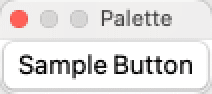
CreatePalette and other high-level notebook functions create the same result more easily:
CreatePalette[Column[{Button["Sample Button", CreateDocument[]]}], WindowTitle -> "Palette"];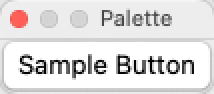
Neat Examples (1)
Create a staggered series of notebooks using Map and WindowMargins:
m = 1;
NotebookPut[#]& /@ (Notebook[{#}, WindowMargins -> {{m++20, Inherited}, {Inherited, m++30}}]& /@ {Cell["First", "Subsection"], Cell["Second", "Subsection"], Cell["Third", "Subsection"]});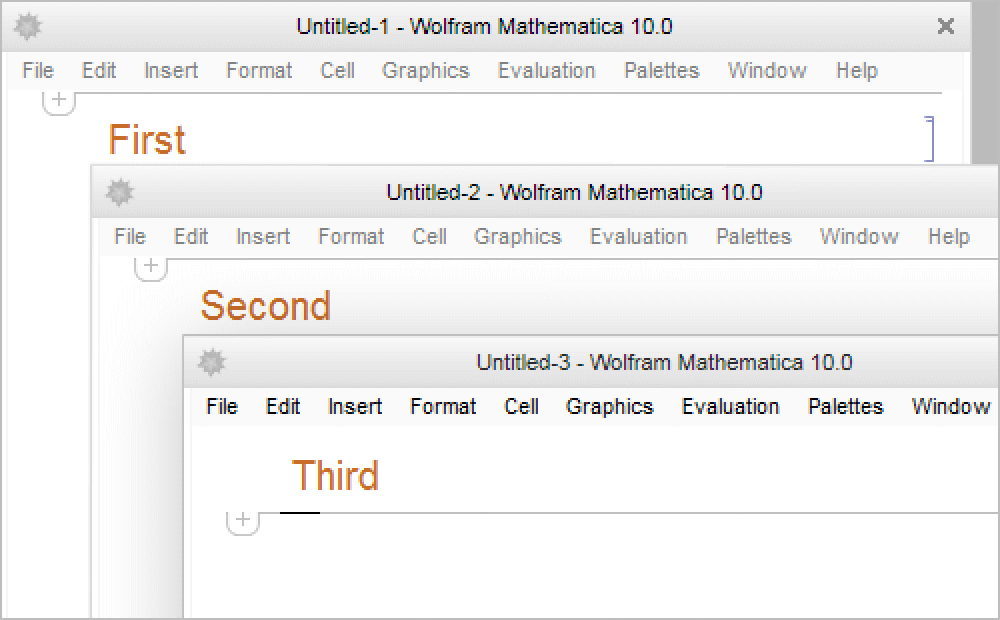
%2Text
Wolfram Research (1996), NotebookPut, Wolfram Language function, https://reference.wolfram.com/language/ref/NotebookPut.html (updated 2007).
CMS
Wolfram Language. 1996. "NotebookPut." Wolfram Language & System Documentation Center. Wolfram Research. Last Modified 2007. https://reference.wolfram.com/language/ref/NotebookPut.html.
APA
Wolfram Language. (1996). NotebookPut. Wolfram Language & System Documentation Center. Retrieved from https://reference.wolfram.com/language/ref/NotebookPut.html