IPYNB (.ipynb)
IPYNB (.ipynb)
- Import supports Jupyter notebook format.
- IPYNB notebooks are based on the JSON file format that include Markdown cells for styled text, input cells that are text and output cells that are primarily text and images.
Background
-
- Registered MIME types: application/x-ipynb+json.
- IPython notebooks are also known as Jupyter notebooks.
- JSON-based notebook file format used by Jupyter notebook interface.
- Used for storing and exchanging multiple language input and output and for the creation of interactive technical documents.
Import & Export
- Import["file.ipynb"]reads a Jupyter notebook and returns it as a Notebook expression.
- Import["file.ipynb",elements] imports the specified elements.
- The import format can be specified with Import["file","IPYNB"] or Import["file",{"IPYNB",elem,…}].
- See the following reference pages for full general information:
-
Import import from or export to a file CloudImport import from or export to a cloud object ImportString import from or export to a string ImportByteArray import from or export to a byte array
Import Elements
- General Import elements:
-
"Elements" list of elements and options available in this file "Summary" summary of the file "Rules" list of rules for all available elements - Import elements:
-
"CellExpressions" list of Cell expressions "MetaInformation" metadata contained in the notebook "Notebook" notebook represented as a Notebook expression "NotebookObject" notebook represented as a NotebookObject "Plaintext" plain text version of the notebook
Examples
open all close allBasic Examples (1)
Import an "IPYNB" notebook and return a NotebookObject:
Import["ExampleData/simple.ipynb"]Import an "IPYNB" notebook, explicitly specifying the "IPYNB" format:
Import["ExampleData/simple.ipynb", "IPYNB"]List all elements supported by the "IPYNB" import:
Import["ExampleData/simple.ipynb", "Elements"]Import a brief summary of an "IPYNB" notebook, listing the format, file name and file size:
Import["ExampleData/simple.ipynb", "Summary"]Import the notebook as a CellObject list:
Import["ExampleData/simple.ipynb", {"IPYNB", "CellObjects"}]Scope (1)
Import an "IPYNB" notebook and return all the "Rules":
Import["ExampleData/simple.ipynb", "Rules"]Import a detailed "IPYNB" notebook and return a NotebookObject:
Import["ExampleData/example.ipynb"]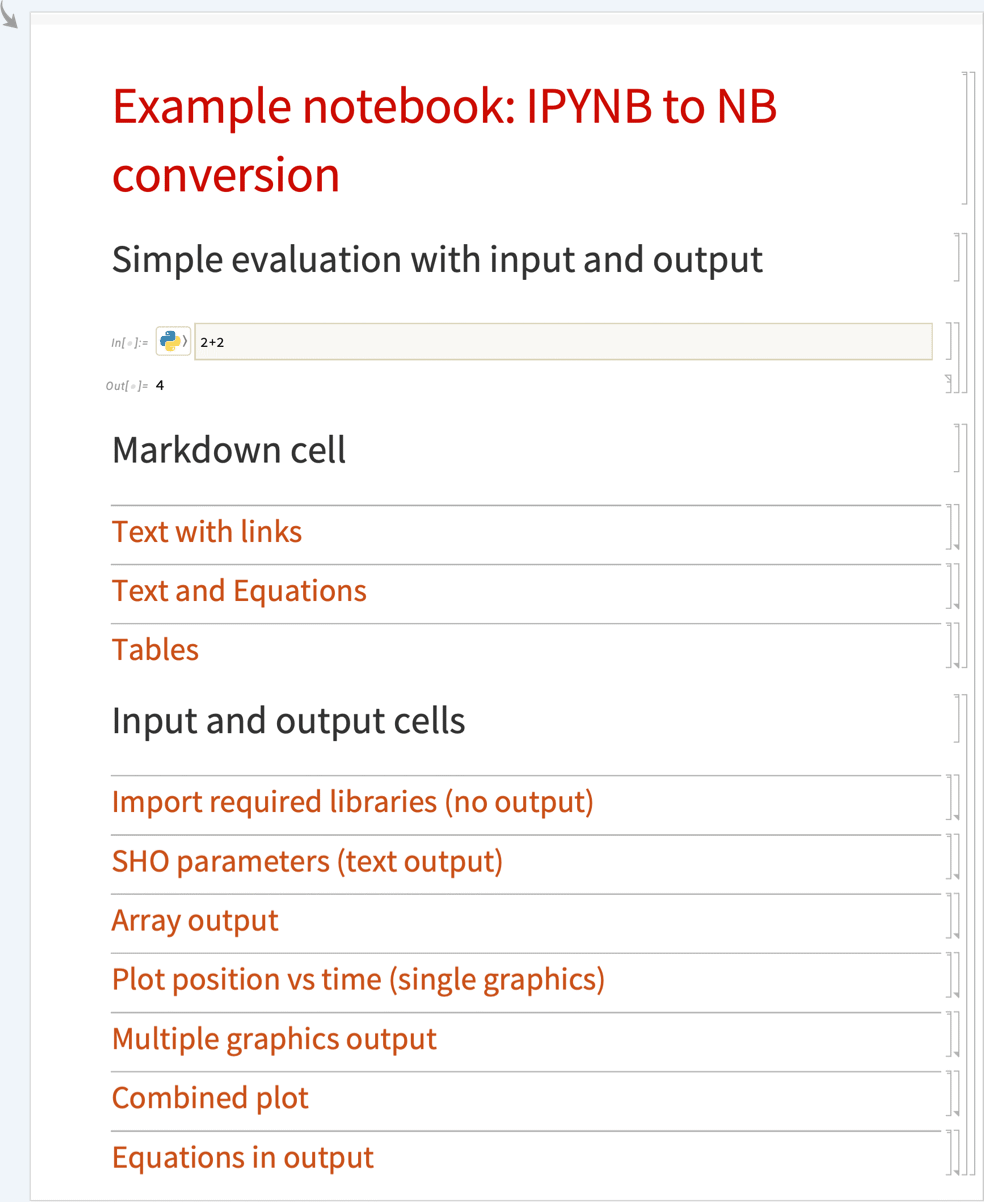
Import an "IPYNB" notebook URL and return a NotebookObject:
Import["https://raw.githubusercontent.com/luigiselmi/datascience/refs/heads/master/r/stat_learning/chapter10.ipynb"]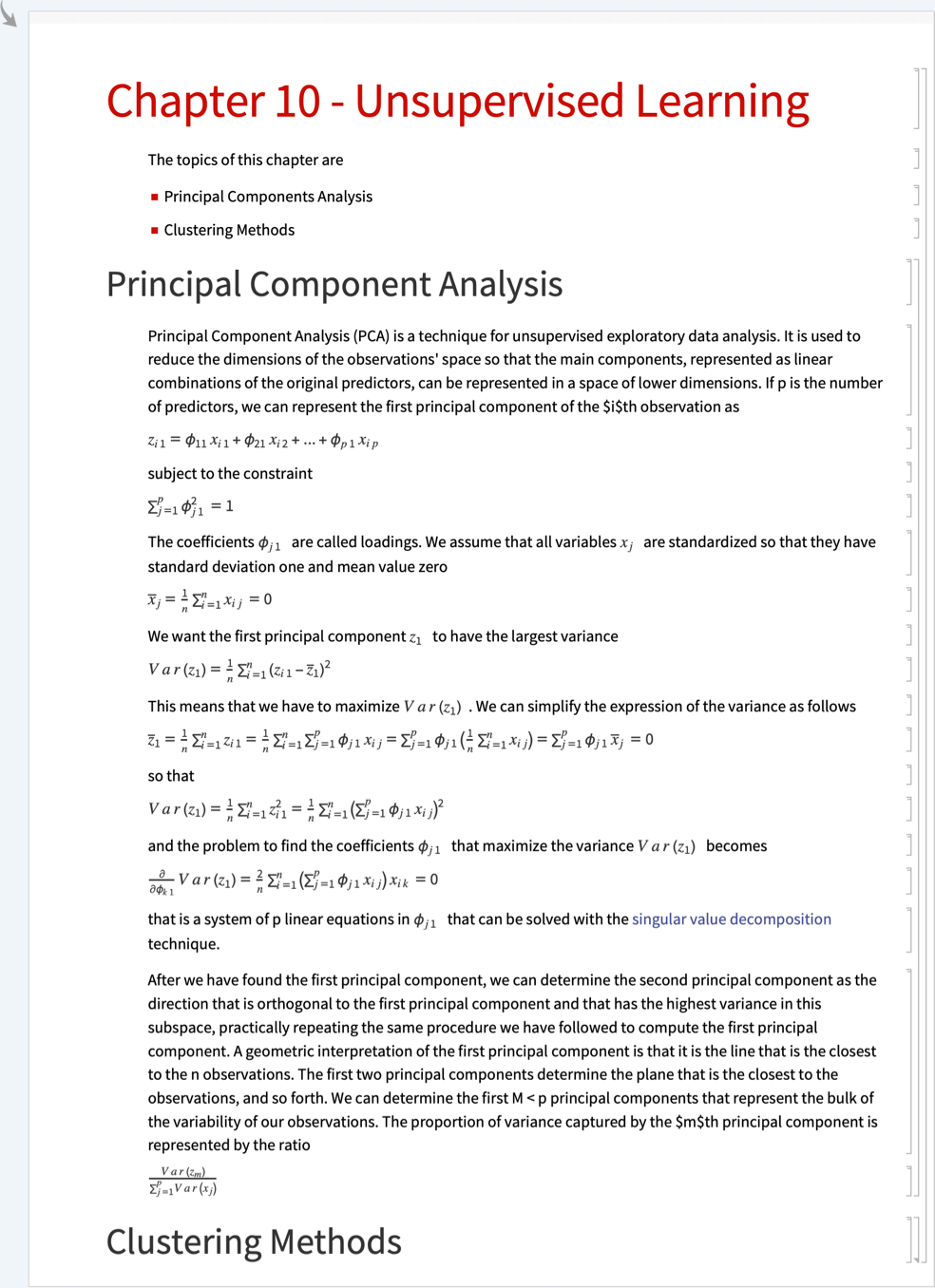
Import Elements (5)
"CellExpressions" (1)
"Notebook" (1)
"NotebookObject" (1)
Import an "IPYNB" notebook and return a NotebookObject:
Import["ExampleData/simple.ipynb", {"IPYNB", "NotebookObject"}]"MetaInformation" (1)
Import an "IPYNB" notebook and return the notebook metadata:
Import["ExampleData/simple.ipynb", {"IPYNB", "MetaInformation"}]"Plaintext" (1)
Import an "IPYNB" notebook as plain text:
Import["ExampleData/simple.ipynb", {"IPYNB", "Plaintext"}]
 Jupyter notebook format