

VideoCapture
creates a temporary interactive interface for capturing a video from an imaging device.
VideoCapture[Dynamic[var]]
creates a non-blocking asynchronous interface to capture video and saves the result in var.
Details and Options
- VideoCapture can be used to record videos from connected imaging devices.
- Once stopped, VideoCapture[] returns a Video object that includes the captured video.
- Once stopped, VideoCapture[Dynamic[var]] assigns the captured video to the variable var.
- VideoCapture takes the following options:
-
AudioInputDevice Automatic audio input device to use for capture CaptureRunning False whether to immediately start the capture ImagingDevice Automatic imaging device to use for capture MaxDuration ∞ maximum duration for capture - By default, $DefaultAudioInputDevice and $DefaultImagingDevice are used for acquisition.
- Possible settings for ImagingDevice are:
-
"camera" recording from a camera in $ImagingDevices "livestream" recording from an HTTP or HTTPS livestream - By default, VideoCapture places the new video under the "Video" directory in $WolframDocumentsDirectory.
- Options to control properties of the output video are:
-
BitRate Automatic approximate bit rate to use CompressionLevel Automatic compression level to use FrameRate Automatic the frame rate to use GeneratedAssetFormat Automatic the format of the result GeneratedAssetLocation $GeneratedAssetLocation the location of the result OverwriteTarget False whether to overwrite an existing file RasterSize Automatic raster size of the output video VideoEncoding Automatic video encoding to use - Operating systems might ask for permission to record from connected imaging devices.
Examples
open all close allBasic Examples (1)
Capture a video from the default imaging device:
$DefaultImagingDeviceVideoCapture[]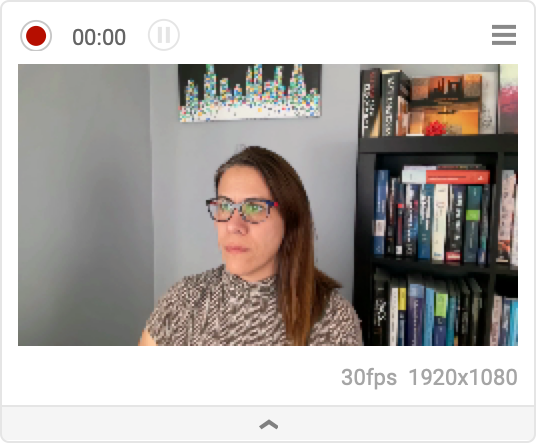
| |
Once stopped, a Video object is returned:
VideoCapture[RasterSize -> 200]Scope (1)
Create a non-blocking video recorder:
VideoCapture[Dynamic[var], RasterSize -> 200]Perform any evaluation while recording:
DSolve[y'[x] + y[x] == a Sin[x], y[x], x]Once stopped, the resulting video is stored in the dynamic variable:
varOptions (3)
AudioInputDevice (1)
Use the AudioInputDevice to select the device from which audio is recorded:
v = VideoCapture[AudioInputDevice -> "MacBook Pro Microphone"];Information[v, "AudioTracks"]Use AudioInputDeviceNone to avoid recording audio:
v = VideoCapture[AudioInputDevice -> None];Information[v, "AudioTrackCount"]CaptureRunning (1)
Use CaptureRunningTrue to have the recording started as soon as the cell is displayed:
VideoCapture[CaptureRunning -> True]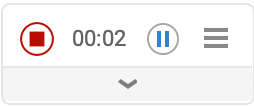
| |
MaxDuration (1)
By default, the recording continues until the stop button is clicked:
VideoCapture[]//DurationUse the MaxDuration option to stop the recording automatically at a specified time:
VideoCapture[MaxDuration -> 4]//DurationText
Wolfram Research (2022), VideoCapture, Wolfram Language function, https://reference.wolfram.com/language/ref/VideoCapture.html.
CMS
Wolfram Language. 2022. "VideoCapture." Wolfram Language & System Documentation Center. Wolfram Research. https://reference.wolfram.com/language/ref/VideoCapture.html.
APA
Wolfram Language. (2022). VideoCapture. Wolfram Language & System Documentation Center. Retrieved from https://reference.wolfram.com/language/ref/VideoCapture.html