CUDA Programming
CUDA Programming

CUDA is a parallel computing architecture for Graphics Processing Units (GPUs). It contains functions that use CUDA-enabled GPUs to boost performance in a number of areas. This is particularly relevant for applying related functions to large blocks of data that can be done in parallel. In recent years, this has become particularly useful for machine learning applications.
CUDA functionality requires that a CUDA-enabled GPU be present. In addition, for many features, extra software may be required. If no CUDA GPU is present, CUDA programming cannot work. It should be noted that CUDA functionality is available on Windows and Linux machines but not on macOS machines.
The Wolfram Language makes use of CUDA to accelerate a number of features where this is possible and advantageous. As is typical, the Wolfram Language features attempt to make use of the functionality as smoothly as possible.
The Wolfram Language also provides access to develop and execute CUDA programs on CUDA hardware. This includes functionality built around the ExternalEvaluate framework and the Wolfram Compiler. Working with CUDA programming from the Wolfram Language allows interesting and unique solutions to be developed. It is also a very powerful way to learn and explore the technology.
Basics
CUDA programming basics are quite simple. The CUDA-enabled GPU works as a separate computation device with its own memory and its own processors that coexists with a host computer. In contrast with a modern computer, which may have up to tens of cores, a CUDA GPU can have up to thousands of cores.
The essence of CUDA programming involves loading data onto the CUDA device. Code, known as kernels, is then run on the data. Finally, the data is copied back from the device to the host computer to form results. Of course, there are many details involved in CUDA programming, and these will be covered in this tutorial.
GPUArray
GPUArray is a convenient Wolfram Language feature for working with data on a GPU. If it is used on a computer that has a suitable CUDA device, then it will automatically store data on the GPU. Later sections will cover how you can determine if there is a suitable CUDA device.
Data can be created using a Wolfram Language List. (Alternatively, you could use other functions such as Range, Table or ConstantArray to make data.)
hostData = {0., 0.5, 1., 1.5, 2., 2.5, 3., 3.5}If the system has a suitable CUDA GPU available, then GPUArray will copy the data to the GPU and hold a reference:
gpuData = GPUArray[hostData]The data can be retrieved from the GPU by using Normal:
Normal[gpuData]A GPUArray can also be created using NumericArray. This can be useful because it allows the type of the data to be set. The details of types and CUDA programming will be covered in a later section:
data = GPUArray[NumericArray[Range[10], "Integer64"]]One thing to note is that GPUArray will work even if there is no CUDA GPU. This is because its mission is to provide a platform- and technology-neutral interface to GPU operations. This means that if no GPU is available, data storage and operations all use the host machine. However, if a CUDA GPU is available, then GPUArray will use it.
GPUArray has a lot of nice functionality that is documented elsewhere. This tutorial uses GPUArray as a convenient way to work with data stored on a CUDA device.
ExternalEvaluate for CUDA
The Wolfram Language provides an external evaluation framework for working with external languages, and this includes working with CUDA. It provides a convenient and simple way for CUDA programming that helps avoid many of the initial difficulties that can make the technology hard to use, especially for new users.
To work with CUDA through external evaluation, functions to run on the CUDA hardware are required. These can be written in two ways: first, using the Wolfram Language; second, using C++. When code is written with the Wolfram Language, the Wolfram Compiler will be used to compile it to CUDA code.
The following is a Wolfram Language function that can run on a CUDA GPU. It has arguments that are marked up with type annotations containing low-level types that are also used for working with the Wolfram Compiler.
This function takes a "CArray" that represents a block of data stored on the GPU. It also takes a machine integer that represents the length of the data. The code uses functions to help identity which particular processor is being used (this is common for low-level parallel programming). The details of these are explained later.
func = Function[{Typed[x, "CArray"::["Integer64"]], Typed[n, "MachineInteger"]},
	Module[{id},
	id = LibraryFunction["BlockDimensions.x"][] * LibraryFunction["BlockID.x"][] + LibraryFunction["ThreadID.x"][];
	If[id < n,
	ToRawPointer[ x, id, FromRawPointer[ x, id] + 5]
	];
	]
	];
The function can then be compiled into an ExternalFunction object:
gpuFun = ExternalEvaluate["CUDA", func]The first time this executes, the available hardware and software will be tested. There may even be installation of software in a Wolfram Language paclet to facilitate operation. Details of configuration for CUDA programming and how to deal with problems are described in the section on CUDA support.
If an external function object is returned, then the function can be executed with suitable data such as a GPUArray:
data = GPUArray[NumericArray[Range[10], "Integer64"]];gpuFun[data, 10]Normal[data]It is also possible to use StartExternalSession to create a CUDA session, as in the following:
session = StartExternalSession["CUDA"]gpuFun = ExternalEvaluate[session, func]data = GPUArray[NumericArray[Range[10], "Integer64"]];
gpuFun[data, 10]Normal[data]A CUDA session can be useful to track down problems in setting up for CUDA operations. These are investigated in the next section on CUDA support.
To use CUDA functionality, there are various requirements that must be fulfilled. If ExternalEvaluate returns as expected, then operations should continue to succeed. However, if there are errors, then there needs to be some further configuration.
One convenient way to investigate these is to create a CUDA session with StartExternalSession. This will inspect the system on which it is running and attempt to find the necessary components. It will return a session object if CUDA functionality will work. As seen previously, this session object can be used in CUDA operations.
When trying to set up, a first check is made for CUDA drivers and the libraries that are bundled with the Wolfram Language. If these cannot be found or are unsupported, then a message and a failure are returned. As shown in the following section, if the platform does not support CUDA, this is reported.
If the hardware and drivers are present, a check is made for a CUDA toolkit. Wolfram Research provides this in a paclet called "WolframGPUSDK". If this paclet is installed, the toolkit it contains will be used. If no paclet is installed, the functionality looks for a viable CUDA toolkit in the system. If no installed CUDA toolkit is found, the system will download the "WolframGPUSDK" paclet.
When all of these requirements are fulfilled, StartExternalSession returns an ExternalSessionObject as in the following:
StartExternalSession["CUDA"]macOS
$OperatingSystemStartExternalSession will issue a message and return a failure object:
StartExternalSession["CUDA"]
CUDA SDK Paclet
The "WolframGPUSDK" paclet is provided by Wolfram Research to allow CUDA functionality to work in cases where a CUDA SDK cannot be found.
If the paclet is installed, then it will be used. Otherwise, the system searches for a viable CUDA toolkit. If this is not found, then the "WolframGPUSDK" paclet is installed.
You can install the paclet yourself with PacletInstall. The following uses PacletFind, which shows that in this system it has not been installed:
PacletFind["WolframGPUSDK"]PacletInstall installs the paclet; this is quite lengthy:
PacletInstall["WolframGPUSDK"]PacletFind["WolframGPUSDK"]Verifying Support
If StartExternalSession returns a valid CUDA session, then CUDA operations should work. However, if it cannot verify support for CUDA functionality, it will return a failure object and action will need to be taken. In this case, various steps can be taken that provide more details than just running StartExternalSession.
A core way is to use CUDADeviceInformation, which returns information on CUDA devices. To use this, a package has to be loaded:
Needs["CUDATools`"]CUDADeviceInformation[]Even more information can be obtained from the result of InstallCUDA. This is called automatically by the ExternalEvaluate framework, but is useful to learn about the files and system being used. It has to be accessed by loading a package:
Needs["CUDALink`"]InstallCUDA[]macOS
Needs["CUDATools`"]CUDADeviceInformation[]CUDA functionality is based on executing functions called kernels on the CUDA GPU hardware. The GPU hardware provides a large number of processors to run the kernels. The system used in these examples has 5888 cores (as reported by CUDADeviceInformation). As is typical for performance computing, a key element is often less the speed of the cores running the code than the speed at which data can be moved from memory to the cores. CUDA GPUs typically have their own memory system that is distinct from the memory of the host system. The system used in these examples has about 8GB of GPU memory (as reported by CUDADeviceInformation).
This section of the documentation describes some details of CUDA kernels and how to work with them in the Wolfram Language.
Threads
A key aspect of how CUDA kernels are run is the arrangement of threads into grids. Parameters for this are set when the kernels are launched and used by the CUDA scheduler. In the code of a CUDA kernel, details of the thread can be determined by various intrinsic functions.
This document is not going to be a detailed description of the way that CUDA kernels run on the GPU. However, a little information is provided here. On the CUDA GPU, the same kernel is executed many times in threads. Threads are grouped into blocks and blocks are grouped into grids. A rough picture is shown below.
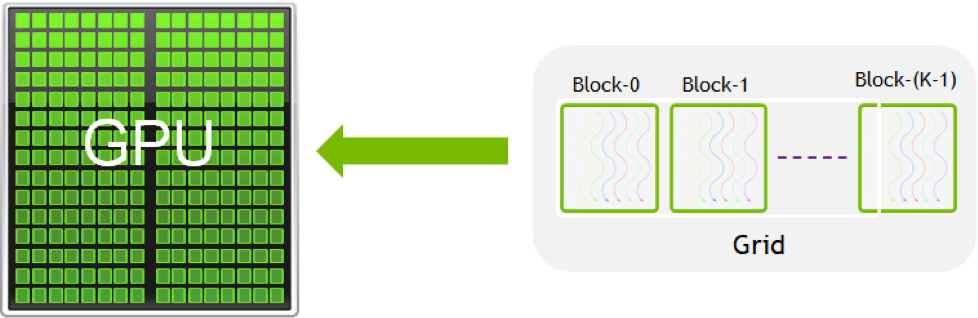
The grouping in both blocks and grids can be set to have one, two or three dimensions. As described previously, the grouping is set when the kernels are launched. When CUDA kernels are run with the Wolfram Language ExternalEvaluate system, parameters for the allocation of the thread are automatically chosen. This works well for simple problems such as running independent calculations over a block of data. In this case, a one-dimensional layout is used, which is particularly simple and easy to understand.
In a one-dimensional case, each thread can be globally identified by computing an ID with the following code in Wolfram Language:
LibraryFunction["BlockDimensions.x"][]*LibraryFunction["BlockID.x"][]+LibraryFunction["ThreadID.x"][]
blockIdx.x * blockDim.x + threadIdx.x
These are patterns of code that are commonly seen in CUDA kernels. Note that the intrinsics such as "ThreadID.x" identify the thread in each block. To identify a thread globally (compared with any other thread), a computation such as above is required.
Here code is compiled into a CUDA kernel. It computes the global thread ID and saves this in the input data:
gpuFun = ExternalEvaluate["CUDA", Function[{Typed[x, "CArray"::["Integer32"]], Typed[n, "MachineInteger"]},
	Module[{id},
	id = LibraryFunction["BlockDimensions.x"][] * LibraryFunction["BlockID.x"][] + LibraryFunction["ThreadID.x"][];
	If[id < n,
	ToRawPointer[ x, id, id]
	];
	]
]];len = 2 ^ 20;
d = GPUArray[NumericArray[ConstantArray[0, {len}], "Integer32"]];
gpuFun[d, len]Take[Normal[d], 20]Normal[d] === Range[0, len - 1]A different computation can be done by restricting the number of grids to 1 and the number of dimensions to 256. This means that only 256 threads can run:
len = 512;
d = GPUArray[NumericArray[ConstantArray[0, {len}], "Integer32"]];
gpuFun[d, len, "GridDimensions" -> 1, "BlockDimensions" -> 256]Normal[d]gpuFun = ExternalEvaluate["CUDA", Function[{Typed[x, "CArray"::["Integer32"]], Typed[n, "MachineInteger"]},
Module[{id},
id = LibraryFunction["BlockDimensions.x"][] * LibraryFunction["BlockID.x"][] + LibraryFunction["ThreadID.x"][];
If[id < n,
ToRawPointer[ x, id, LibraryFunction["ThreadID.x"][]]
];
]
]];len = 8192;
data = GPUArray[NumericArray[ConstantArray[0, len], "Integer32"]];
gpuFun[data, len]You can see that the maximum number of each thread in the block is 255; this is because the block dimensions are set to 256:
Take[Normal[data], 500]len = 8192;
data = GPUArray[NumericArray[ConstantArray[0, len], "Integer32"]];
gpuFun[data, len, "GridDimensions" -> Quotient[len, 32], "BlockDimensions" -> 32]This shows the maximum ID of each thread in a block is 31. This is because the block dimensions were set to 32:
Take[Normal[data], 500]More computations and experiments can be done for two- and three-dimensional setups. This shows the benefits of using the Wolfram Language interface to CUDA programming to learn and understand how the technology works.
Arguments
CUDA kernels are functions that execute in a highly parallel manner on a CUDA GPU. Kernels work by manipulating the memory stored on the GPU and return no values. Therefore, the arguments to a CUDA kernel must include one reference to a block of memory on the GPU.
The Wolfram Language tools for working with CUDA kernels allow you to create them from Wolfram Language or C++ programs. This section discusses the types you can use to write CUDA kernels and how you can create data with which to invoke them.
Wolfram Language Types
The ExternalEvaluate "CUDA" system allows you to create CUDA kernels from Wolfram Language functions. A typical function is shown in the following:
Function[{Typed[x, "CArray"::["Integer64"]], Typed[n, "Integer64"]}, Module[{id}, id = LibraryFunction["BlockDimensions.x"][] * LibraryFunction["BlockID.x"][] + LibraryFunction["ThreadID.x"][];If[id < n, ToRawPointer[ x, id, FromRawPointer[ x, id] + 5]];]]The arguments to the function use Typed to denote the type with which the function should be called. The type is also used by the Wolfram Compiler to determine the types of all the parts of the code it compiles.
For CUDA kernels, the types can only be a limited set of raw types and are described here. In the example above, the type of the x argument is given as "CArray"::["Integer64"], which is a reference to a block of 64-bit integers stored in memory on the GPU. The n argument is a 64-bit integer. Note that there is no return value.
The CUDA kernel is launched with arguments. For scalar arguments such as integers, these are converted from compatible Wolfram Language expressions. For arguments that reference blocks of memory, these are converted from Wolfram Language expressions that hold data on a CUDA GPU. An example of this is GPUArray.
C++ Types
The ExternalEvaluate "CUDA" system allows you to create CUDA kernels from C++ code. A typical function is shown in the following:
"__global__ void addFun(double *x, int n) {
    const int tid =  blockIdx.x * blockDim.x + threadIdx.x;
    if (tid < n) {
        x[tid] = x[tid] + 5;
    }
}"
For CUDA kernels, the types can only be a limited set of raw types and are described here. In the example above, the type of the x argument is given as double*, which is a reference to a block of double-precision values stored in memory on the GPU. The n argument is an int, which will typically be a 32-bit integer. Note that there is no return value.
The CUDA kernel is launched with arguments. For scalar arguments such as integers, these are converted from compatible Wolfram Language expressions. For arguments that reference blocks of memory, these are converted from Wolfram Language expressions that hold data on a CUDA GPU. An example of this is GPUArray.
Creating Data
When CUDA kernels are executed, they need arguments. Scalar arguments such as integers are easily converted from Wolfram Language expressions. However, there must be at least one argument that references data stored in memory on the GPU. Typically, this is created by GPUArray.
GPUArray was introduced above as a convenient way to work with Wolfram Language data on a CUDA GPU. While it will work in a sensible fashion on systems that do not support CUDA, it will always store its data on a CUDA GPU if one is available.
Data can be created using a Wolfram Language List. (Alternatively, you could use other functions such as Range, Table or ConstantArray to make data.):
hostData = {0., 0.5, 1., 1.5, 2., 2.5, 3., 3.5}If the system has a suitable CUDA GPU available, then GPUArray will copy the data to the GPU and hold a reference:
gpuData = GPUArray[hostData]The data can be retrieved from the GPU by using Normal:
Normal[gpuData]data = GPUArray[NumericArray[Range[10], "Integer32"]]This can be useful because it allows the type of the data to be set. This is important in order to match the type of any kernel being called and has been used extensively in this tutorial.
Creating Kernels
CUDA kernels are created by compilation. The source can be written in the Wolfram Language or in CUDA C++. There are several advantages of using the Wolfram Language, but one that stands out is that functions can be created by other Wolfram Language code. When C++ is used to create CUDA kernels, this makes use of the standard Nvidia tools for processing C++, so all features of kernels are available.
ExternalEvaluate is a simple way to create kernels, and a number of examples have been seen in this document. However, it is also possible to use ExternalOperation and gain more control over the creation process. This is explored in the later sections.
Here is an example of compiling the Wolfram Language with ExternalEvaluate:
gpuFun = ExternalEvaluate["CUDA", Function[{Typed[x, "CArray"::["Integer64"]], Typed[n, "MachineInteger"]},
	Module[{id},
	id = LibraryFunction["BlockDimensions.x"][] * LibraryFunction["BlockID.x"][] + LibraryFunction["ThreadID.x"][];
	If[id < n,
	ToRawPointer[ x, id, FromRawPointer[ x, id] + 5]
	];
	]
]]data = GPUArray[NumericArray[Range[10], "Integer64"]];
gpuFun[data, 10];
data//NormalCUDA kernels can also be created from C++. This can be given either as a string or as a file. The following creates a kernel from a string of C++:
code = "#include \"WolframLibrary.h\"
__global__ void addFun(double *x, mint N) {
    const int tid =  blockIdx.x * blockDim.x + threadIdx.x;
    if (tid < N) {
        x[tid] = x[tid] + 5;
    }
}";
gpuFun = ExternalEvaluate["CUDA", code]
ExternalOperation Function
ExternalOperation with operation "Function" can be used to get more control over the creation process, for example, passing in more declarations.
An example is shown by the following that uses FunctionDeclaration. First, here is the declaration:
decl = FunctionDeclaration[increment, Typed[{"Real64"} -> "Real64"]@Function[arg, arg + 1]];func = Function[{Typed[x, "CArray"::["Real64"]], Typed[n, "MachineInteger"]},
Module[{id},
id = LibraryFunction["BlockDimensions.x"][] * LibraryFunction["BlockID.x"][] + LibraryFunction["ThreadID.x"][];
If[id < n,
ToRawPointer[ x, id, increment[FromRawPointer[ x, id]]]
];
]
];Compilation can be done with the ExternalOperation "Function", using both the declaration and a function:
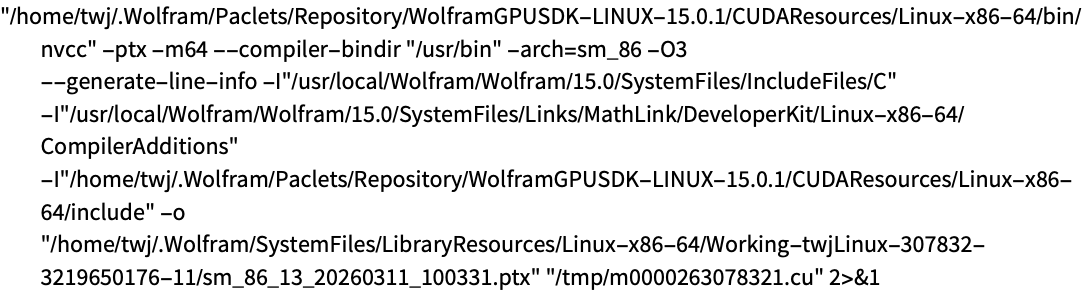
gpuFun = ExternalEvaluate["CUDA", ExternalOperation["Function", decl, func]]ExternalOperation is also useful because options to control the compilation can be passed. In the following, an option to the Nvidia compiler is given and also an option that prints out the command being used:
code = "#include \"WolframLibrary.h\"
__global__ void addFun(double *x, mint N) {
    const int tid =  blockIdx.x * blockDim.x + threadIdx.x;
    if (tid < N) {
        x[tid] = x[tid] + 5;
    }
}";
ExternalEvaluate["CUDA",
	ExternalOperation["Function", code
	,
	"CompileOptions" -> {"--generate-line-info"}
	,
	"ShellCommandFunction" -> Print
	]
	]
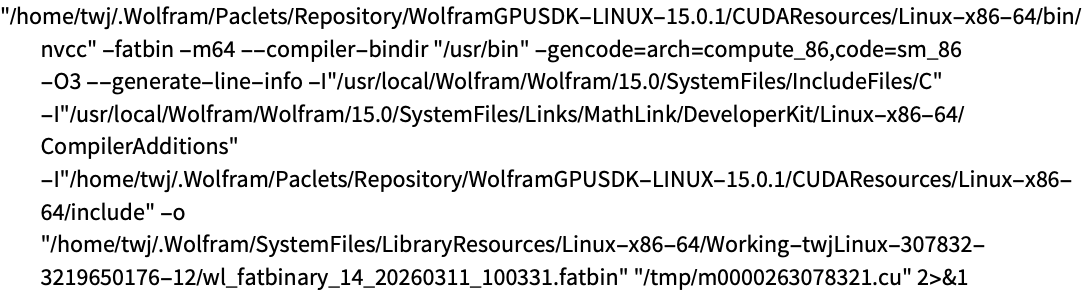
ExternalOperation Program
Working with code in the Wolfram Language, several functions can be given in an association as follows:
funs = <|"add" -> Function[{Typed[x, "CArray"::["Real64"]], Typed[n, "MachineInteger"]},
	Module[{id},
	id = LibraryFunction["BlockDimensions.x"][] * LibraryFunction["BlockID.x"][] + LibraryFunction["ThreadID.x"][];
	If[id < n,
	ToRawPointer[ x, id, FromRawPointer[ x, id] + 1]
	];
	]
	], "sub" -> Function[{Typed[x, "CArray"::["Real64"]], Typed[n, "MachineInteger"]},
	Module[{id},
	id = LibraryFunction["BlockDimensions.x"][] * LibraryFunction["BlockID.x"][] + LibraryFunction["ThreadID.x"][];
	If[id < n,
	ToRawPointer[ x, id, FromRawPointer[ x, id]11]
	];
	]
]|>;gpuFuns = ExternalEvaluate["CUDA", ExternalOperation["Program", funs]]gpuFuns["Functions"]The ExternalObject result has other properties that are useful. This can be demonstrated by compiling code that contains more than one kernel:
file = File[FileNameJoin[{PacletObject["CUDALink"]["Location"], "CUDACode", "arithmetic_kernels.cu"}]];
FilePrint[file]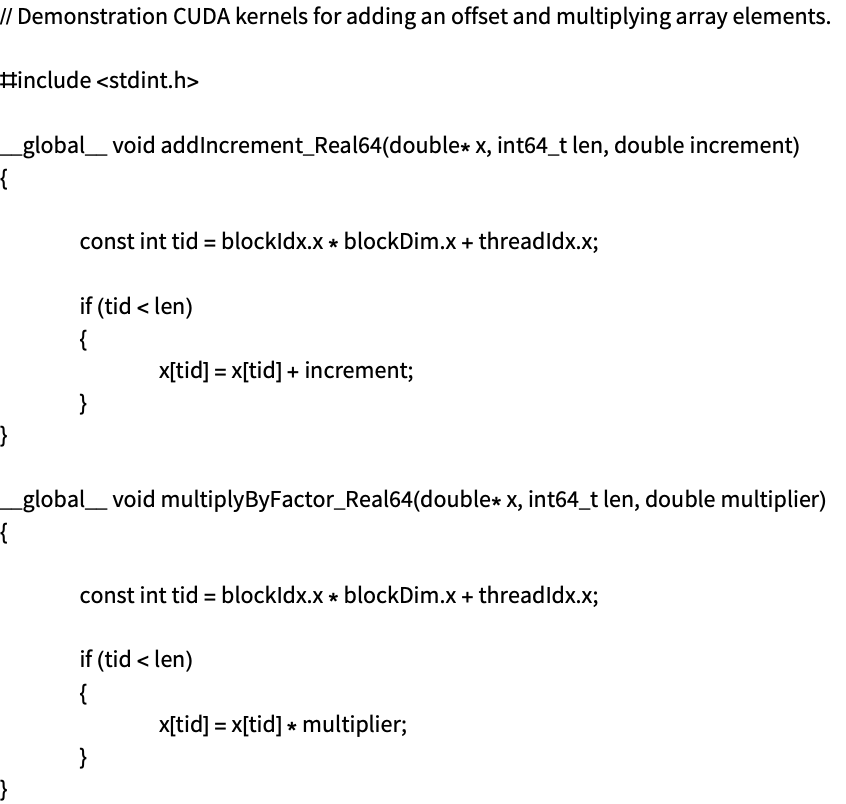
gpuObj = ExternalEvaluate["CUDA", ExternalOperation["Program", file]]gpuObj["Functions"]However, it is possible that the functions have the same name, in which case, using a property that returns the kernels labeled by their mangled name might be useful:
gpuObj["FunctionsByMangledName"]Another useful property is "Kernels", which returns "CUDAKernel" objects. These are the lowest-level representation and have some advantages that are described later. You can see this as follows:
gpuObj["Kernels"]This section describes advanced ways to use the CUDA functionality that give more flexibility and better performance. They do this by avoiding the higher-level function of ExternalEvaluate and GPUArray. These are useful but come with some overhead.
CUDAVector
"CUDAVector" objects are used to hold data on CUDA hardware. Unlike GPUArray, they only store data on CUDA hardware; they also have very low overhead. To use them, a package of CUDA functionality has to be loaded as follows:
Needs["CUDALink`"]data = Range[0., 2., 0.1];
cuVec = CUDAVector[data, "Real32"]They take an argument that describes the type of data to be created and supports a wide range of types. The following creates a vector of "Real16":
cuVec = CUDAVector[data, "Real16"]They can be used as arguments to CUDA kernels in the place of GPUArray.
Length[cuVec]To extract the data, you should use Normal:
na = Normal[cuVec]The result is a NumericArray that preserves the exact type representation. To see the data in a way to use as an expression, you can use Normal again:
Normal[na]CUDAKernel
"CUDAKernel" objects are used to interact with CUDA hardware, but they are typically contained inside other objects. To work with them, you first compile code to an ExternalObject as follows:
gpuObj = ExternalEvaluate["CUDA", ExternalOperation["Program", Function[{Typed[x, "CArray"::["Real32"]], Typed[n, "MachineInteger"]},
	Module[{id},
	id = LibraryFunction["BlockDimensions.x"][] * LibraryFunction["BlockID.x"][] + LibraryFunction["ThreadID.x"][];
	If[id < n,
	ToRawPointer[ x, id, Sin[FromRawPointer[ x, id]]]
	];
	]
]]]gpuObj["Functions"]gpuObj["Kernels"]cuKern = gpuObj["Kernels"]["Main"]data = Range[0., 2., 0.1];
cuVec = CUDAVector[data, "Real32"]cuKern["Launch", cuVec, Length[cuVec]]Normal[Normal[cuVec]]