

ArcLength
ArcLength[reg]
gives the length of the one-dimensional region reg.
ArcLength[{x1,…,xn},{t,tmin,tmax}]
gives the length of the parametrized curve whose Cartesian coordinates xi are functions of t.
ArcLength[{x1,…,xn},{t,tmin,tmax},chart]
interprets the xi as coordinates in the specified coordinate chart.
Details and Options
- ArcLength is also known as length or curve length.
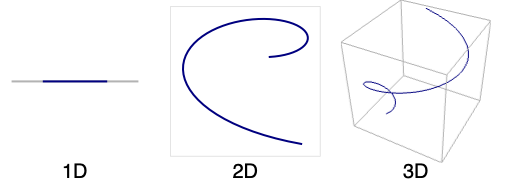
- A one-dimensional region can be embedded in any dimension greater than or equal to one.
- The ArcLength of a curve
 in Cartesian coordinates is
  .
. - In a general coordinate chart, the ArcLength of a parametric curve
 is given by
  , where
  is the metric.
 - In ArcLength[x,{t,tmin,tmax}], if x is a scalar, ArcLength returns the length of the parametric curve {t,x}.
- Coordinate charts in the third argument of ArcLength can be specified as triples {coordsys,metric,dim} in the same way as in the first argument of CoordinateChartData. The short form in which dim is omitted may be used.
- The following options can be given:
-
AccuracyGoal Infinity digits of absolute accurary sought Assumptions $Assumptions assumptions to make about parameters GenerateConditions Automatic whether to generate conditions on parameters PerformanceGoal $PerformanceGoal aspects of performance to try to optimize PrecisionGoal Automatic digits of precision sought WorkingPrecision Automatic the precision used in internal computations - Symbolic limits of integration are assumed to be real and ordered. Symbolic coordinate chart parameters are assumed to be in range given by the "ParameterRangeAssumptions" property of CoordinateChartData.
- ArcLength can be used with symbolic regions in GeometricScene.
Examples
open all close allBasic Examples (3)
The length of the line connecting the points  ,
,  , and
, and  :
:
ArcLength[Line[{{0, 0}, {1, 1}, {2, 0}}]]The length of a circle with radius  :
:
ArcLength[Circle[{x, y}, r]]Circumference of a parameterized unit circle:
ArcLength[{Sin[θ], Cos[θ]}, {θ, 0, 2Pi}]Length of one revolution of the helix  ,
,  , expressed in cylindrical coordinates:
ArcLength[{1, t, t}, {t, 0, 2Pi}, "Cylindrical"]Scope (16)
Special Regions (3)
Line:
ℛ = Line[{{0, 0}, {1, 2}, {1, 0}, {2, 2}}];
ArcLength[ℛ]Region[ℛ]Lines can be used in any number of dimensions:
ArcLength[Line[{{0}, {1}}]]ArcLength[Line[{{0, 0, 0}, {1, 1, 1}, {0, 0, 1}}]]Only a 1D Simplex has meaningful arc length:
ℛ = Simplex[{{0, 0}, {1, 1}}];
ArcLength[ℛ]Region[ℛ]It can be embedded in any dimension:
ArcLength[Simplex[{{0}, {1}}]]ArcLength[Simplex[{{0, 0, 0}, {1, 1, 1}}]]ArcLength[Circle[{Subscript[c, x], Subscript[c, y]}, r]]Region[Circle[{0, 0}, 1]]ArcLength[Circle[{Subscript[c, x], Subscript[c, y]}, {Subscript[r, x], Subscript[r, y]}]]Region[Circle[{0, 0}, {3, 2}]]Formula Regions (2)
The arc length of a circle represented as an ImplicitRegion:
ArcLength[ImplicitRegion[x^2 + y^2 == 1, {x, y}]]ArcLength[ImplicitRegion[x^2 + 2y^2 == 1, {x, y}]]The arc length of a circle represented as a ParametricRegion:
ArcLength[ParametricRegion[{Cos[θ], Sin[θ]}, {{θ, 0, 2π}}]]Using a rational parameterization of the circle:
ArcLength[ParametricRegion[{(1 - t^2/1 + t^2), (2t/1 + t^2)}, {t}]]Mesh Regions (2)
The arc length of a MeshRegion:
MeshRegion[{{0, 0}, {1, 0}, {2, 1 / 2}, {2, -1 / 2}}, Line[{1, 2, 3, 4, 2}]]ArcLength[%]MeshRegion[{{0, 0, 0}, {0, 1, 1}, {1, 0, 0}, {1, 1, 1}}, Line[{1, 2, 3, 4, 1}]]ArcLength[%]The arc length of a BoundaryMeshRegion in 1D:
BoundaryMeshRegion[{{0}, {1}}, Point[{{1}, {2}}]]ArcLength[%]Derived Regions (4)
The portion of a circle intersecting a disk:
ℛ = RegionIntersection[Circle[{1, 0}, 1], Disk[]];Show[Graphics[{LightBlue, EdgeForm[Gray], Disk[], Gray, Circle[{1, 0}, 1]}], HighlightMesh[DiscretizeRegion[ℛ], 1]]ArcLength[ℛ]The arc length of a Circle intersected with a Triangle:
Subscript[ℛ, 1] = Circle[];
Subscript[ℛ, 2] = Triangle[{{-3 / 2, 0}, {3 / 2, 0}, {0, 11 / 10}}];
Subscript[ℛ, 3] = RegionIntersection[Subscript[ℛ, 1], Subscript[ℛ, 2]];Show[Graphics[{LightBlue, EdgeForm[Gray], Subscript[ℛ, 2], Gray, Subscript[ℛ, 1]}], HighlightMesh[DiscretizeRegion[Subscript[ℛ, 3]], 1]]ArcLength[Subscript[ℛ, 3]]The arc length of a TransformedRegion:
ℛ = TransformedRegion[Line[{{0, 0}, {1, 0}, {1, 1}, {0, 0}}], ShearingTransform[30Degree, {1, 0}, {0, 1}]];DiscretizeRegion[ℛ, {{0, 2}, {-1, 1}}]ArcLength[ℛ]The measure of a RegionBoundary:
ℛ = RegionBoundary[Disk[{1, 2}, 3]]Region[ℛ]ArcLength[ℛ]Parametric Formulas (5)
An infinite curve in polar coordinates with finite length:
ArcLength[{Exp[-t / 10], t}, {t, 0, ∞}, "Polar"]ParametricPlot[CoordinateTransform[ "Polar" -> "Cartesian", {Exp[-t / 10], t}]//Evaluate, {t, 0, 50}, PlotRange -> All]The length of the parabola  between
  and
and  :
:
ArcLength[x ^ 2, {x, a, b}]Arc length specifying metric, coordinate system, and parameters:
ArcLength[{1, t, 2t}, {t, 0, Pi}, {{"OblateSpheroidal", {2}}, "Euclidean"}]Arc length of a curve in higher-dimensional Euclidean space:
ArcLength[{t ^ 2, Pi / 2, Pi / 4, t}, {t, 0, 2Pi}, "Hyperspherical"]The length of a meridian on the two-sphere expressed in stereographic coordinates:
ArcLength[{t, a t}, {t, 0, ∞}, {"Stereographic", "Sphere"}, Assumptions -> a∈Reals]Options (7)
AccuracyGoal (1)
Consider a region whose arc length is difficult to compute exactly:
Region[ℛ = ImplicitRegion[x ^ 4 + y ^ 4 == 1, {x, y}]]s1 = ArcLength[ℛ]The AccuracyGoal option can be used to change the default absolute tolerance. Here, the arc length computation stops once the accuracy goal criterion has been exceeded:
s2 = ArcLength[ℛ, AccuracyGoal -> 1]Assumptions (1)
The length of a cardioid with arbitrary parameter a:
ArcLength[{2 a (1 + Cos[t]) Sin[t], -2 a Cos[t] (1 + Cos[t])}, {t, 0, 2Pi}]Adding an assumption that a is positive simplifies the answer:
ArcLength[{2 a (1 + Cos[t]) Sin[t], -2 a Cos[t] (1 + Cos[t])}, {t, 0, 2Pi}, Assumptions -> a > 0]GenerateConditions (1)
By default, conditions may be added that restrict parameters to ensure the answer is valid:
ArcLength[Log[x], {x, a, b} ]Generate a result without conditions that is valid only for some values of parameters:
ArcLength[Log[x], {x, a, b} , GenerateConditions -> False]PrecisionGoal (1)
The number of effective digits of precision that should be sought can be specified with PrecisionGoal:
Table[ArcLength[ImplicitRegion[x ^ 4 + y ^ 4 == 1, {x, y}], PrecisionGoal -> prec], {prec, 1, 5}]Plot the arc lengths computed for various precision settings:
ListPlot[%, PlotRange -> All]PerformanceGoal (1)
Consider a region whose arc length is difficult to compute exactly:
Region[ℛ = ImplicitRegion[x ^ 4 + y ^ 4 == 1, {x, y}]]Use PerformanceGoal"Speed" to attempt to compute an arc length quickly:
(s1 = ArcLength[ℛ, PerformanceGoal -> "Speed"])//TimingUse PerformanceGoal"Performance" to attempt to compute a result with as many correct digits as possible:
(s2 = ArcLength[ℛ, PerformanceGoal -> "Quality"])//TimingCompare with the value found from an exact computation:
sexact = -(3^1 / 4 MeijerG[{{(1/3), (2/3), (5/6), 1, (4/3)}, {}}, {{(1/12), (5/12), (7/12), (3/4), (13/12)}, {}}, 1]/16 Sqrt[2] π^7 / 2 Gamma[(5/4)]);s1 - sexacts2 - sexactWorkingPrecision (2)
Compute the ArcLength using machine arithmetic:
ArcLength[ImplicitRegion[x ^ 6 + y ^ 6 - x y == 1, {x, y}], WorkingPrecision -> MachinePrecision]In some cases, the exact answer cannot be computed:
ArcLength[ImplicitRegion[x ^ 6 + y ^ 6 - x y == 1, {x, y}]]Find the ArcLength using 30 digits of precision:
ArcLength[{a Cos[t], a Sin[t], a Sin[t]}, {t, 0, 2Pi}, WorkingPrecision -> 30]Applications (8)
The length of a function curve  :
:
curve = ParametricRegion[{x, Sin[x]}, {{x, 0, 1}}];ArcLength[curve]ArcLength[Sin[x], {x, 0, 1}]knot = KnotData["SolomonSeal", "SpaceCurve"]ArcLength[knot[t], {t, 0, 2Pi}]Compute the length of Jupiter's orbit in meters:
{a, e} = {"SemimajorAxis", "Eccentricity"} /. Entity["Planet", "Jupiter"]["OrbitRules"]//NThe length can be computed using the polar representation of an ellipse:
ArcLength[{(a(1 - e^2)/1 + e Cos[θ]), θ}, {θ, 0, 2Pi}, "Polar"]Alternatively, use elliptic coordinates  with half focal distance
  and constant
  :
:
ArcLength[{ArcCosh[1 / e], ν}, {ν, 0, 2Pi}, {{"Elliptic", a e}}]Extract lines from a graphic and compute their coordinate length:
graphics = KnotData["SolomonSeal", "KnotDiagram"]ArcLength /@ Cases[graphics, _Line, -1]Total[%]Color a Lissajous curve by distance traversed:
c[t_] = {Cos[3t], Sin[5t]};
total = ArcLength[c[t], {t, 0., 2Pi}];
ParametricPlot[c[t], {t, 0, 2Pi}, PlotStyle -> Thick, ColorFunctionScaling -> False, ImageSize -> 300, ColorFunction -> (Hue[0.6ArcLength[c[t], {t, 0, #3}] / total]&), PlotLegends -> BarLegend[{Hue[0.6# / total]&, {0, total}}]]
Color Viviani's curve on the sphere by the fraction of distance traversed:
viv[t_] := {-(Sin[t]/2), -Sin[(t/2)], (1/2) (1 + Cos[t])};
fraclen[a_] = ArcLength[viv[t], {t, 0, 4Pi a}] / ArcLength[viv[t], {t, 0, 4Pi}];
Show[ParametricPlot3D[viv[t], {t, 0, 4Pi}, PlotStyle -> Thick, ColorFunction -> (Hue[0.6fraclen[#4]]&), PlotLegends -> BarLegend[{Hue[0.6#]&, {0, 1}}, LegendMarkerSize -> Small]], Graphics3D[{Gray, Opacity[.5], Sphere[]}], PlotRange -> All]
Find mean linear charge density along a circular wire:
r = Circle[{0, 0}, 1];Integrate[x^2y^2, {x, y}∈r] / ArcLength[r]Compute the perimeter length of a Polygon:
p = Polygon[Table[If[EvenQ[ii], 3, 2]{Cos[2π ii / 16], Sin[2π ii / 16]}, {ii, 0, 15}]];
Region[p]ArcLength[RegionBoundary[N@p]]Properties & Relations (6)
ArcLength is a non-negative quantity:
ArcLength[{Sin[θ], Cos[θ]}, {θ, 0, 2π}]ArcLength[{Sin[θ], Cos[θ]}, {θ, 0, -2π}]ArcLength[r] is the same as RegionMeasure[r] for any one-dimensional region:
{ArcLength[Line[{{0, 0}, {1, 1}}]], RegionMeasure[Line[{{0, 0}, {1, 1}}]]}{ArcLength[Circle[]], RegionMeasure[Circle[]]}ArcLength for a parametric form is defined as an integral:
ArcLength[{Sin[θ], 2Cos[θ]}, {θ, 0, 2π}]Integrate[Sqrt[Sin'[θ]^2 + (2 Cos'[θ])^2], {θ, 0, 2π}]ArcLength[x,t,c] is equivalent to RegionMeasure[x,{t},c]:
ArcLength[{t ^ 2, Pi / 2, Pi / 4, t}, {t, 0, 2Pi}, "Hyperspherical"]RegionMeasure[{t ^ 2, Pi / 2, Pi / 4, t}, {{t, 0, 2Pi}}, "Hyperspherical"]% == %%For a 1D region, ArcLength is defined as the integral of 1 over that region:
ℛ = Circle[{1, 2}, {3, 4}];{ArcLength[ℛ], Integrate[1, x∈ℛ]}The circumference of a 2D region is the ArcLength of its RegionBoundary:
ℛ = RegionBoundary[Disk[{0, 0}, 1]];ArcLength[ℛ]Possible Issues (2)
The parametric form or ArcLength computes the length of possibly multiple coverings:
ArcLength[{Cos[θ], Sin[θ]}, {θ, 0, 4π}]The region version computes the length of the image:
ArcLength[ParametricRegion[{Cos[θ], Sin[θ]}, {{θ, 0, 4π}}]]ArcLength[Circle[{0, 0}, 1]]The length of a region of dimension other than one is Undefined:
{ArcLength[Point[{0, 0}]], ArcLength[Disk[]]}{RegionDimension[Point[{0, 0}]], RegionDimension[Disk[]]}Text
Wolfram Research (2014), ArcLength, Wolfram Language function, https://reference.wolfram.com/language/ref/ArcLength.html (updated 2019).
CMS
Wolfram Language. 2014. "ArcLength." Wolfram Language & System Documentation Center. Wolfram Research. Last Modified 2019. https://reference.wolfram.com/language/ref/ArcLength.html.
APA
Wolfram Language. (2014). ArcLength. Wolfram Language & System Documentation Center. Retrieved from https://reference.wolfram.com/language/ref/ArcLength.html