

GraphTree
Details and Options
- In GraphTree[g], g must be a valid graph object for which TreeGraphQ gives True.
- GraphTree gives a Tree object with subtrees containing the vertices of graph.
- By default, GraphTree[g] uses the vertex with the largest VertexOutComponent as root.
- In GraphTree[g,root], the direction of edges is ignored.
- In GraphTree[g,root,h], the subtree for a vertex v is specified by h[v], which should return a pair {data,expr}. For siblings {datai,expri}, the datai give the data in the subtrees, and the siblings are sorted by the expri.
- GraphTree[TreeGraph[tree],{data,{}},Identity] is equivalent to tree, where TreeData[tree] gives data.
- GraphTree has the same options as Tree.
List of all options
Examples
open all close allBasic Examples (2)
Scope (4)
Transform a CompleteKaryTree graph into a tree:
CompleteKaryTree[4]GraphTree[%]GraphTree[[image], 5]Sort the siblings in reverse order:
GraphTree[[image], 5, {#, -#}&]Convert a StarGraph object into a tree:
StarGraph[6]GraphTree[%]Transform a TreeGraph object into a tree:
TreeGraph[{1 -> 2, 1 -> 3, 1 -> 4, 4 -> 5, 4 -> 6}]GraphTree[%]Options (9)
Styling Individual Tree Elements (2)
Specify the label for the generated tree element:
GraphTree[CompleteKaryTree[2], TreeElementLabel -> "?"]Specify labels and styles for subtrees by position:
GraphTree[CompleteKaryTree[3, 3],
	TreeElementLabel -> {___, _ ? EvenQ} -> None, TreeElementStyle -> {___, _ ? OddQ} -> {LightRed, EdgeForm[{Red, Dashed}]}]
Styling Entire Tree (4)
Specify labels and styles for all subtrees:
GraphTree[CompleteKaryTree[4, 2], TreeElementLabel -> All -> None, TreeElementStyle -> All -> EdgeForm[Red]]GraphTree[CompleteKaryTree[4, 2], BaseStyle -> LightRed]Specify the style for both the edges and the edges of the tree elements:
GraphTree[CompleteKaryTree[4, 2], BaseStyle -> {Dashed, EdgeForm[{Dashing[{}], Thick}]}]Specify the base style and styles for individual tree elements:
GraphTree[CompleteKaryTree[4, 2], BaseStyle -> {Red, EdgeForm[None]}, TreeElementStyle -> All -> Opacity[0]]Tree Layout and Graphics Options (3)
Specify the orientation for the root:
GraphTree[CompleteKaryTree[3, 2], TreeLayout -> Bottom]GraphTree[CompleteKaryTree[4, 4], TreeLayout -> "BalloonEmbedding", IconizedObject[«labels»]]Specify Graphics options:
GraphTree[TreeGraph[{1 -> 2, 1 -> 3}], Background -> LightBlue, ImageSize -> 50]Properties & Relations (3)
GraphTree can only transform TreeGraphQ objects:
GraphTree[[image]]If the graph is not TreeGraphQ, then GraphTree will fail:
GraphTree[[image]]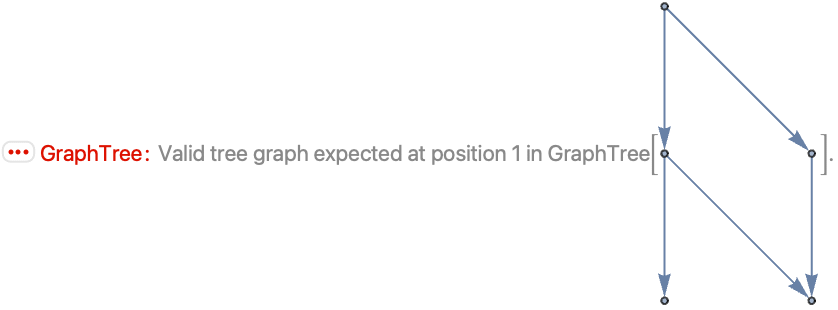
Use TreeGraph to convert a tree into a Graph:
TreeGraph[[image]]GraphTree[TreeGraph[tree],{data,{}},Identity] is equivalent to tree, where TreeData[tree] gives data:
TreeGraph[[image]]The root vertex is of the form {data,{}}:
VertexList[%]Reconstruct the tree, sorting siblings by their position:
GraphTree[%%, {1, {}}, Identity]Text
Wolfram Research (2021), GraphTree, Wolfram Language function, https://reference.wolfram.com/language/ref/GraphTree.html (updated 2021).
CMS
Wolfram Language. 2021. "GraphTree." Wolfram Language & System Documentation Center. Wolfram Research. Last Modified 2021. https://reference.wolfram.com/language/ref/GraphTree.html.
APA
Wolfram Language. (2021). GraphTree. Wolfram Language & System Documentation Center. Retrieved from https://reference.wolfram.com/language/ref/GraphTree.html