



BarChart3D
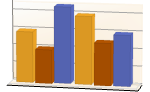
BarChart3D[{y1,y2,…}]
makes a 3D bar chart with bar lengths y1, y2, … .
BarChart3D[{…,wi[yi,…],…,wj[yj,…],…}]
makes a 3D bar chart with bar features defined by the symbolic wrappers wk.
BarChart3D[{data1,data2,…}]
makes a 3D bar chart from multiple datasets datai.
Details and Options
- Data elements for BarChart3D can be given in the following forms:
-
yi a pure bar value Quantity[yi,unit] bar value with a unit wi[yi,…] a bar with value yi and wrapper wi formi->mi a bar form with metadata mi - Data not given in these forms is taken to be missing, and typically yields a gap in the 3D bar chart.
- Datasets for BarChart3D can be given in the following forms:
-
{e1,e2,…} list of elements with or without wrappers <k1y1,k2y2,…> association of keys and lengths TimeSeries[…],EventSeries[…],TemporalData[…] time series, event series, and temporal data WeightedData[…],EventData[…] augmented datasets w[{e1,e2,…},…] wrapper applied to a whole dataset w[{data1,data1,…},…] wrapper applied to all datasets - BarChart3D[objcspec] extracts and plots values from the Tabular, TimeSeries or EventSeries object obj using the column specification cspec.
- The following forms of column specifications cspec are allowed for plotting tabular data:
-
col plot values from column col {col1,col2,…,coln} plot columns {col1, …, coln} as a group of values - The following wrappers can be used for chart elements:
-
Annotation[e,label] provide an annotation Button[e,action] define an action to execute when the element is clicked EventHandler[e,…] define a general event handler for the element Hyperlink[e,uri] make the element act as a hyperlink Labeled[e,…] display the element with labeling Legended[e,…] include features of the element in a chart legend Mouseover[e,over] make the element show a mouseover form PopupWindow[e,cont] attach a popup window to the element StatusArea[e,label] display in the status area when the element is moused over Style[e,opts] show the element using the specified styles Tooltip[e,label] attach an arbitrary tooltip to the element - In BarChart3D, Labeled and Placed allow the following positions:
-
Top,Bottom,Left,Right,Center, Front,Back positions within bars Above, Below, Before, After positions outside bars Axis on the bar origin axis {{bx,by,bz},{lx,ly}} scaled position {lx,ly} in the label at scaled position {bx,by,bz} in the bar - BarChart3D has the same options as Graphics3D with the following additions and changes: [List of all options]
-
Axes True whether to draw axes BarOrigin Bottom origin of bars BarSpacing Automatic spacing between bars Boxed False whether to draw a bounding box ChartElementFunction Automatic how to generate raw graphics for bars ChartElements Automatic graphics to use for each of the bars ColorFunction Automatic how to color bars ColorFunctionScaling True whether to normalize arguments to ColorFunction FaceGrids Automatic grid lines to draw on the bounding box LabelingFunction Automatic how to label bars LegendAppearance Automatic overall appearance of legends Lighting "Neutral" simulated light sources to use PerformanceGoal $PerformanceGoal aspects of performance to try to optimize PlotInteractivity $PlotInteractivity whether to allow interactive elements PlotLabels None category labels for bars PlotLayout Automatic overall layout to use PlotLegends None legends for data elements and datasets PlotStyle Automatic style for bars PlotTheme $PlotTheme overall theme for the chart ScalingFunctions None how to scale individual coordinates TargetUnits Automatic units to display in the chart ViewPoint Automatic viewing position - The following settings for PlotLayout can be used to display multiple sets of data:
-
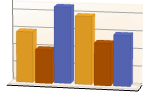
"Grouped" separate the data for each dataset 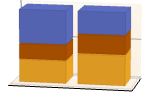
"Stacked" accumulate the data for each dataset 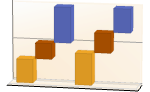
"Stepped" accumulate and separate the data for each dataset 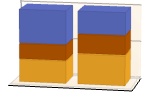
"Percentile" accumulate and normalize the data for each dataset - Typical settings for PlotLegends include:
-
None no legend Automatic automatically determine legend {lbl1,lbl2,…} use lbl1, lbl2, … as legend labels Placed[lspec,…] specify placement for legend - PlotStylesty specifies the styles to use for each curve. Possible settings include:
-
{sty1,sty2,…} sequence of styles for the data <"key"val,…> styling elements for different levels of data - The accepted keys are:
-
"Base" overall style for all the bars "Elements" list of styles for the elements yi in each group "Groups" list of styles of each group of values datai - ColorData["DefaultChartColors"] gives the default sequence of colors used by PlotStyle.
- The arguments supplied to ChartElementFunction are the bar region {{xmin,xmax},{ymin,ymax},{zmin,zmax}}, the data values yi, and metadata {m1,m2,…} from each level in a nested list of datasets.
- A list of built-in settings for ChartElementFunction can be obtained from ChartElementData["BarChart3D"].
- The argument supplied to ColorFunction is yi.
- With the setting ChartElements->g, the graphic g will be used to form pictorial bars consisting of stretched versions of g.
- Style and other specifications from options and other constructs in BarChart3D are effectively applied in the order PlotStyle, ColorFunction, Style and other wrappers, ChartElements, and ChartElementFunction, with later specifications overriding earlier ones.
List of all options
Examples
open all close allBasic Examples (3)
Generate a 3D bar chart for a list of heights:
BarChart3D[{1, 2, 3}]BarChart3D[{{1, 2, 3}, {1, 3, 2}}]BarChart3D[Range[8], PlotStyle -> {RGBColor[0.237736, 0.340215, 0.575113], RGBColor[0.25826842857142857, 0.3783777142857143, 0.4839005714285714], RGBColor[0.2876055714285714, 0.46943485714285715, 0.2876237142857143], RGBColor[0.4759574285714286, 0.589047, 0.2482417142857143], RGBColor[0.759271, 0.7397234285714285, 0.29226885714285716], RGBColor[0.8685795714285713, 0.7007091428571428, 0.32354785714285716], RGBColor[0.7654144285714286, 0.35909685714285716, 0.2620315714285714], RGBColor[0.72987, 0.239399, 0.230961]}]BarChart3D[Range[5], ChartElements -> [image]]BarChart3D[Range[6], ChartElementFunction -> "ProfileCube", PlotStyle -> {RGBColor[0.761959, 0.470832, 0.940597], RGBColor[0.8750956, 0.6580038, 0.746929], RGBColor[0.9440982, 0.7955892, 0.5942686], RGBColor[0.9537862, 0.937389, 0.6180996], RGBColor[0.7952328000000001, 0.8988539999999999, 0.8302508], RGBColor[0.431296, 0.709773, 0.927077]}]Scope (31)
Data and Layouts (13)
Items in a dataset are grouped together:
BarChart3D[{{1, 1, 1}, {2, 2, 2}, {3, 3, 3}}]Datasets do not need to have the same number of items:
BarChart3D[{{1, 2}, {1, 2, 3}, {1, 2, 3, 4}}]Nonreal data is taken to be missing and typically yields a gap in the bar chart:
BarChart3D[{{1, Missing[], 3}, {4, 2, 1 + I, 2}, {foo, 2, 4}}]BarChart3D[{Quantity[1, "Feet"], Quantity[3, "Feet"], Quantity[2, "Feet"], Quantity[5, "Feet"], Quantity[7, "Feet"], Quantity[6, "Feet"]}, AxesLabel -> Automatic]BarChart3D[{Quantity[1, "Feet"], Quantity[3, "Feet"], Quantity[2, "Feet"], Quantity[5, "Feet"], Quantity[7, "Feet"], Quantity[6, "Feet"]}, AxesLabel -> Automatic, TargetUnits -> "Meters"]The time stamps in TimeSeries, EventSeries, and TemporalData are ignored:
BarChart3D[TimeSeries[{5, 12, 4, 4, 5, 2, 7}, {"April 21, 1981"}]]The values in associations are taken as the heights of the bars:
BarChart3D[<|"a" -> 4, "b" -> 2, "c" -> 6, "d" -> 9, "e" -> 7|>]BarChart3D[<|"a" -> 4, "b" -> 2, "c" -> 6, "d" -> 9, "e" -> 7|>, PlotLabels -> Automatic]BarChart3D[<|"a" -> 4, "b" -> 2, "c" -> 6, "d" -> 9, "e" -> 7|>, PlotStyle -> {Hue[0.58, 0.67, 0.66], Hue[0.17, 1, 0.66], Hue[0.45, 0.75, 0.6], Hue[0.12, 0.7, 0.7], Hue[0.25, 0.7, 0.6]}, PlotLegends -> Automatic]BarChart3D[<|"one" -> <|"a" -> 4, "b" -> 2, "c" -> 6, "d" -> 9, "e" -> 7|>, "two" -> <|"a" -> 2, "b" -> 6, "c" -> 5, "d" -> 6, "e" -> 4|>|>, PlotLegends -> Automatic]The weights in WeightedData are ignored:
BarChart3D[WeightedData[{1, 2, 3, 4, 5}, {0.5, 0.8, 0.2, 0.1, 0.2}]]The censoring and truncation information in EventData is ignored:
BarChart3D[EventData[{6, 3, 6, 4, 2}, {0, 1, 0, 1, 1}]]Use different layouts to display multiple datasets:
Table[BarChart3D[{{1, 2, 3}, {1, 3, 2}}, ChartLayout -> l], {l, {"Grouped", "Stepped"}}]Stacked layouts are more compact in the horizontal direction:
Table[BarChart3D[RandomReal[1, {5, 5}], ChartLayout -> l], {l, {"Stacked", "Percentile"}}]Table[BarChart3D[Range[5], BarOrigin -> o, PlotLabel -> o, ImageSize -> Small], {o, {Bottom, Left, Top, Right}}]Adjust the spacing between bars and groups of bars:
Table[BarChart3D[{Range[4], Range[4]}, BarSpacing -> s, PlotLabel -> s, PlotStyle -> Opacity[0.8]], {s, {Automatic, {0, 1}, {-0.3, 1}}}]Tabular Data (3)
Get tabular data, counted by the "class" and "survived" columns:
titanic = ResourceData["Sample Tabular Data: Titanic"]Create a chart of how many passengers were in each ticket class:
data = AggregateRows[titanic, "count" -> Function[Length[#class]], "class"]BarChart3D[data -> "count", PlotLabels -> {"1st", "2nd", "3rd"}]Show how many passengers survived and how many perished:
AggregateRows[titanic, "count" -> Function[Length[#class]], "survived"]BarChart3D[% -> "count", PlotLabels -> {"survived", "perished"}]Display the number of passengers who survived by ticket class:
pivot = PivotToColumns[AggregateRows[titanic, "count" -> Function[Length[#class]], {"class", "survived"}], "class" -> "count"]BarChart3D[pivot -> {"1st", "2nd", "3rd"}, PlotLabels -> <|"Groups" -> {"survived", "perished"}, "Elements" -> Placed[{"1st", "2nd", "3rd"}, Center]|>]Use stacked bars for the display:
BarChart3D[pivot -> {"1st", "2nd", "3rd"}, PlotLayout -> "Stacked", PlotLabels -> <|"Groups" -> {"survived", "perished"}, "Elements" -> {"1st", "2nd", "3rd"}|>]Plot the values for all the components in TimeSeries or EventSeries:
BarChart3D[TimeSeries[TimeEventSeries`TimestampData[Association["UniformlySpacedQ" -> True, "Count" -> 5,
   "Endpoints" -> TabularColumn[Association[
      "Data" -> {2, {{NumericArray[{20551, -2147483648}, "Integer32"], {},
          DataStructure["BitVec ... rColumn[Association[
           "Data" -> {{2, 3, 4, 5, 9}, {}, None}, "ElementType" -> "Integer64"]],
         TabularColumn[Association["Data" -> {{15, 15, 13, 11, 10}, {}, None},
           "ElementType" -> "Integer64"]]}}]]]], Association[]]]
Plot the values for a component of a TimeSeries or EventSeries:
ts = TimeSeries[TimeEventSeries`TimestampData[Association["UniformlySpacedQ" -> True, "Count" -> 5,
   "Endpoints" -> TabularColumn[Association[
      "Data" -> {2, {{NumericArray[{20551, -2147483648}, "Integer32"], {},
          DataStructure["BitVec ... rColumn[Association[
           "Data" -> {{2, 3, 4, 5, 9}, {}, None}, "ElementType" -> "Integer64"]],
         TabularColumn[Association["Data" -> {{15, 15, 13, 11, 10}, {}, None},
"ElementType" -> "Integer64"]]}}]]]], Association[]];BarChart3D[ts -> "fish"]Plot values from multiple components:
BarChart3D[ts -> {"cats", "dogs"}]Wrappers (5)
Use wrappers on individual data, datasets, or collections of datasets:
{BarChart3D[{{1, Style[2, RGBColor[0.93, 0.27, 0.27]], 3}, {4, 5, 6}}], BarChart3D[{Style[{1, 2, 3}, RGBColor[0.14, 0.8, 0.14]], {4, 5, 6}}], BarChart3D[Style[{{1, 2, 3}, {4, 5, 6}}, RGBColor[0.4, 0.6, 1]]]}{BarChart3D[{{1, Style[2, RGBColor[0.93, 0.27, 0.27]], 3}, {4, 5, 6}}], BarChart3D[{Style[{1, Style[2, RGBColor[0.93, 0.27, 0.27]], 3}, RGBColor[0.14, 0.8, 0.14]], {4, 5, 6}}], BarChart3D[Style[{Style[{1, Style[2, RGBColor[0.93, 0.27, 0.27]], 3}, RGBColor[0.14, 0.8, 0.14]], {4, 5, 6}}, RGBColor[0.4, 0.6, 1]]]}Override the default tooltips:
BarChart3D[{1, Tooltip[2, "median"], 3}]Use any object in the tooltip:
BarChart3D[Table[Tooltip[CountryData[c, "Population"] / 10 ^ 8, CountryData[c, "Flag"]], {c, CountryData["G8"]}]]Use PopupWindow to provide additional drilldown information:
BarChart3D[{1, PopupWindow[2, DateListPlot[FinancialData["IBM", "Jan. 1, 2004"]]], 3}]Button can be used to trigger any action:
BarChart3D[{1, Button[2, Speak[2]], 3}]Styling and Appearance (7)
Use an explicit list of styles for the bars:
BarChart3D[{1, 2, 3, 4}, PlotStyle -> {RGBColor[0.93, 0.27, 0.27], RGBColor[0.14, 0.8, 0.14], RGBColor[0.4, 0.6, 1], RGBColor[1, 0.75, 0]}]Style can be used to override styles:
BarChart3D[{1, 2, Style[3, EdgeForm[Directive[Thick, Dashed]]], 4, 5}, PlotStyle -> EdgeForm[None]]Use any graphic for pictorial bars:
BarChart3D[{1, 2, 3}, ChartElements -> Graphics3D[Cylinder[]]]Use built-in programmatically generated bars:
ChartElementData["BarChart3D"]Table[BarChart3D[{1, 2, 3, 4, 5}, ChartElementFunction -> f], {f, {"ProfileCube", "GradientScaleCube"}}]For detailed settings use Palettes ▶ ChartElementSchemes:
BarChart3D[{1, 2, 3, 4, 5}, ChartElementFunction -> ChartElementDataFunction["SegmentScaleCube", "Segments" -> 7, "ColorScheme" -> "SolarColors"]]BarChart3D[{1, 2, 3, 4, 5}, Method -> {"Canvas" -> None}]Use a theme with simple ticks and grid lines in a high contrast color scheme:
BarChart3D[{{1, 5, 4, 6}, {4, 3, 2, 6}}, PlotTheme -> "Business"]BarChart3D[{{1, 5, 4, 6}, {4, 3, 2, 6}}, PlotTheme -> "Monochrome"]Labeling and Legending (3)
Use Labeled to add a label to a bar:
BarChart3D[{1, Labeled[2, "label"], 3}]Use symbolic positions for label placement:
Table[BarChart3D[{1, Labeled[2, "label", p], 3}, PlotLabel -> p, Ticks -> None], {p, {Bottom, Center, Top}}]Table[BarChart3D[{1, Labeled[2, "label", p], 3}, PlotLabel -> p, Ticks -> None], {p, {Left, Center, Right}}]Use the third argument of Placed to control formatting of labels:
BarChart3D[{1, 2, 3}, PlotLabels -> Placed[{"aaa", "bbb", "ccc"}, Center, Framed[#, FrameMargins -> 1, Background -> StandardYellow]&]]Options (87)
Axes (3)
By default, axes are drawn for BarChart3D:
BarChart3D[Range[8, 1, -1], PlotStyle -> {RGBColor[0.237736, 0.340215, 0.575113], RGBColor[0.25826842857142857, 0.3783777142857143, 0.4839005714285714], RGBColor[0.2876055714285714, 0.46943485714285715, 0.2876237142857143], RGBColor[0.4759574285714286, 0.589047, 0.2482417142857143], RGBColor[0.759271, 0.7397234285714285, 0.29226885714285716], RGBColor[0.8685795714285713, 0.7007091428571428, 0.32354785714285716], RGBColor[0.7654144285714286, 0.35909685714285716, 0.2620315714285714], RGBColor[0.72987, 0.239399, 0.230961]}]Use AxesFalse to turn off axes:
BarChart3D[Range[8, 1, -1], PlotStyle -> {RGBColor[0.237736, 0.340215, 0.575113], RGBColor[0.25826842857142857, 0.3783777142857143, 0.4839005714285714], RGBColor[0.2876055714285714, 0.46943485714285715, 0.2876237142857143], RGBColor[0.4759574285714286, 0.589047, 0.2482417142857143], RGBColor[0.759271, 0.7397234285714285, 0.29226885714285716], RGBColor[0.8685795714285713, 0.7007091428571428, 0.32354785714285716], RGBColor[0.7654144285714286, 0.35909685714285716, 0.2620315714285714], RGBColor[0.72987, 0.239399, 0.230961]}, Axes -> False]Turn each axis on individually:
BarChart3D[Range[8, 1, -1], PlotStyle -> {RGBColor[0.237736, 0.340215, 0.575113], RGBColor[0.25826842857142857, 0.3783777142857143, 0.4839005714285714], RGBColor[0.2876055714285714, 0.46943485714285715, 0.2876237142857143], RGBColor[0.4759574285714286, 0.589047, 0.2482417142857143], RGBColor[0.759271, 0.7397234285714285, 0.29226885714285716], RGBColor[0.8685795714285713, 0.7007091428571428, 0.32354785714285716], RGBColor[0.7654144285714286, 0.35909685714285716, 0.2620315714285714], RGBColor[0.72987, 0.239399, 0.230961]}, Axes -> {False, False, True}]AxesLabel (4)
No axis labels are drawn by default:
BarChart3D[Range[8, 1, -1]]
BarChart3D[Range[8, 1, -1], Axes -> True, AxesLabel -> "Data"]BarChart3D[Range[8, 1, -1], Axes -> True, AxesLabel -> {x, y, z}]BarChart3D[QuantityArray[Range[8, 1, -1], "Meters"], Axes -> True, AxesLabel -> Automatic]AxesStyle (4)
Change the style for the axes:
BarChart3D[Range[8, 1, -1], PlotStyle -> {RGBColor[0.237736, 0.340215, 0.575113], RGBColor[0.25826842857142857, 0.3783777142857143, 0.4839005714285714], RGBColor[0.2876055714285714, 0.46943485714285715, 0.2876237142857143], RGBColor[0.4759574285714286, 0.589047, 0.2482417142857143], RGBColor[0.759271, 0.7397234285714285, 0.29226885714285716], RGBColor[0.8685795714285713, 0.7007091428571428, 0.32354785714285716], RGBColor[0.7654144285714286, 0.35909685714285716, 0.2620315714285714], RGBColor[0.72987, 0.239399, 0.230961]}, Axes -> True, AxesStyle -> RGBColor[0.93, 0.27, 0.27]]Specify the style of each axis:
BarChart3D[Range[8, 1, -1], PlotStyle -> {RGBColor[0.237736, 0.340215, 0.575113], RGBColor[0.25826842857142857, 0.3783777142857143, 0.4839005714285714], RGBColor[0.2876055714285714, 0.46943485714285715, 0.2876237142857143], RGBColor[0.4759574285714286, 0.589047, 0.2482417142857143], RGBColor[0.759271, 0.7397234285714285, 0.29226885714285716], RGBColor[0.8685795714285713, 0.7007091428571428, 0.32354785714285716], RGBColor[0.7654144285714286, 0.35909685714285716, 0.2620315714285714], RGBColor[0.72987, 0.239399, 0.230961]}, Axes -> True, AxesStyle -> {Directive[Thick, RGBColor[0.67, 0.54, 0.42]], Directive[Thick, RGBColor[0.4, 0.6, 1]], Directive[Thick, RGBColor[0.8, 0.3, 0.8]]}]Use different styles for the ticks and the axes:
**BarChart3D[Range[8, 1, -1], PlotStyle -> {RGBColor[0.237736, 0.340215, 0.575113], RGBColor[0.25826842857142857, 0.3783777142857143, 0.4839005714285714], RGBColor[0.2876055714285714, 0.46943485714285715, 0.2876237142857143], RGBColor[0.4759574285714286, 0.589047, 0.2482417142857143], RGBColor[0.759271, 0.7397234285714285, 0.29226885714285716], RGBColor[0.8685795714285713, 0.7007091428571428, 0.32354785714285716], RGBColor[0.7654144285714286, 0.35909685714285716, 0.2620315714285714], RGBColor[0.72987, 0.239399, 0.230961]}, Axes -> True, AxesStyle -> RGBColor[0.93, 0.27, 0.27], TicksStyle -> RGBColor[0.14, 0.8, 0.14]]**Use different styles for the labels and the axes:
BarChart3D[Range[8, 1, -1], PlotStyle -> {RGBColor[0.237736, 0.340215, 0.575113], RGBColor[0.25826842857142857, 0.3783777142857143, 0.4839005714285714], RGBColor[0.2876055714285714, 0.46943485714285715, 0.2876237142857143], RGBColor[0.4759574285714286, 0.589047, 0.2482417142857143], RGBColor[0.759271, 0.7397234285714285, 0.29226885714285716], RGBColor[0.8685795714285713, 0.7007091428571428, 0.32354785714285716], RGBColor[0.7654144285714286, 0.35909685714285716, 0.2620315714285714], RGBColor[0.72987, 0.239399, 0.230961]}, Axes -> True, AxesStyle -> RGBColor[0.93, 0.27, 0.27], LabelStyle -> RGBColor[0.14, 0.8, 0.14]]BarOrigin (1)
BarSpacing (6)
Use automatically determined spacing between bars:
BarChart3D[{{16, 8, 4}, {5, 3, 2}}, BarSpacing -> Automatic]BarChart3D[{{16, 8, 4}, {5, 3, 2}}, BarSpacing -> None]Table[BarChart3D[{{16, 8, 4}, {5, 3, 2}}, BarSpacing -> s, PlotLabel -> s], {s, {Tiny, Small, Medium, Large}}]Use explicit spacing between bars:
Table[BarChart3D[{{16, 8, 4}, {5, 3, 2}}, BarSpacing -> s, PlotLabel -> s], {s, {Automatic, 1, -0.3}}]Use explicit spacing between bars and groups of bars:
Table[BarChart3D[{{16, 8, 4}, {5, 3, 2}}, BarSpacing -> s, PlotLabel -> s], {s, {Automatic, {0, 1}, {0, 0.2}}}]Position bars within a group, 0.5 bar width apart, and with no space between groups:
BarChart3D[{{1, 2, 3}, {4, 5, 6}, {7, 8, 9}}, BarSpacing -> {0.5, 0}, ChartLayout -> "Grid"]ChartElementFunction (6)
Get a list of built-in settings for ChartElementFunction:
ChartElementData["BarChart3D"]For detailed settings, use Palettes ▶ ChartElementSchemes:
Table[BarChart3D[{1, 2, 3, 4, 5}, ChartElementFunction -> f, PlotStyle -> EdgeForm[], ColorFunction -> "SandyTerrain", PlotLabel -> f, ViewPoint -> {2.8, -7.5, 6.7}], {f, {"Cone", "FadingCube", "Cylinder", "ProfileCube"}}]This ChartElementFunction is appropriate to show the global scale:
Table[BarChart3D[{1, 2, 3, 4, 5}, ChartElementFunction -> f, PlotLabel -> f], {f, {"GradientScaleCube", "SegmentScaleCube"}}]Table[BarChart3D[{1, 2, 3, 4, 5}, ChartElementFunction -> f, PlotStyle -> {RGBColor[0.761959, 0.470832, 0.940597], RGBColor[0.898695, 0.686452, 0.6785475], RGBColor[0.9584254999999999, 0.877884, 0.5906629999999999], RGBColor[0.86116075, 0.930182, 0.758764], RGBColor[0.431296, 0.709773, 0.927077]}, PlotLabel -> f, ViewPoint -> {4, -8, 3}], {f, {"SquareWaveCube", "TriangleWaveCube"}}]Write a custom ChartElementFunction:
f[{{xmin_, xmax_}, {ymin_, ymax_}, {zmin_, zmax_}}, ___] := Cuboid[{xmin, ymin, zmin}, {xmax, ymax, zmax}]BarChart3D[{1, 2, 3, 4, 5}, ChartElementFunction -> f, PlotStyle -> GrayLevel[0.85]]Write a custom ChartElementFunction using ChartElementDataFunction:
f[b : {{xmin_, xmax_}, {ymin_, ymax_}, {zmin_, zmax_}}, ___] := ChartElementDataFunction["ProfileCube", "Profile" -> 2, "TaperRatio" -> 0.6][b]BarChart3D[{1, 2, 3, 4, 5}, ChartElementFunction -> f, PlotStyle -> GrayLevel[0.62]]A custom chart element function that draws a drop plane:
DropPlanesBar[box : {{xmin_, xmax_}, {ymin_, ymax_}, {zmin_, zmax_}}, y_, {True}] :=
{DropPlanesBar[box], EdgeForm[], Opacity[0.5], Polygon[{{-0.1, ymin, zmax}, {xmax, ymin, zmax}, {xmax, ymax, zmax}, {-0.1, ymax, zmax}}], Opacity[1], Black, Text[y, {-0.1, ymax, zmax}, {1, 0}]}DropPlanesBar[{{xmin_, xmax_}, {ymin_, ymax_}, {zmin_, zmax_}}, ___] := {
EdgeForm[], Opacity[0.7], Cuboid[{xmin, ymin, zmin}, {xmax, ymax, zmax}]
}Setting the metadata to True turns on the drop plane:
BarChart3D[{23, 71, 42 -> True, 55 -> True}, ChartElementFunction -> DropPlanesBar, PlotStyle -> {RGBColor[0.237736, 0.340215, 0.575113], RGBColor[0.33311066666666667, 0.5032283333333333, 0.26154733333333335], RGBColor[0.8562609999999999, 0.742794, 0.31908333333333333], RGBColor[0.72987, 0.239399, 0.230961]}, ViewPoint -> {-5.17, -8.34, 3.42}, FaceGrids -> None, Axes -> None, PlotLegends -> {"Tim", "John", "Mary", "Bob"}]ChartElements (7)
Create a pictorial chart based on any Graphics3D object:
BarChart3D[{1, 2, 3, 4}, ChartElements -> Graphics3D[Cylinder[]]]Use a different graphic for each column of data:
BarChart3D[{{1, 2, 3}, {4, 5, 6}}, ChartElements -> {[image], [image], [image]}]Use a different graphic for each row of data:
BarChart3D[{{1, 2, 3}, {4, 5, 6}}, ChartElements -> {{[image], [image]}, None}]BarChart3D[{1, 2, 3, 4, 5, 6}, ChartElements -> {[image], [image]}]Styles are inherited from styles set through PlotStyle etc.:
BarChart3D[{1, 2, 3, 4, 5, 6}, ChartElements -> [image], PlotStyle -> {RGBColor[0.761959, 0.470832, 0.940597], RGBColor[0.8750956, 0.6580038, 0.746929], RGBColor[0.9440982, 0.7955892, 0.5942686], RGBColor[0.9537862, 0.937389, 0.6180996], RGBColor[0.7952328000000001, 0.8988539999999999, 0.8302508], RGBColor[0.431296, 0.709773, 0.927077]}]Override individual styles by using Style:
BarChart3D[{1, 2, Style[3, RGBColor[0.93, 0.27, 0.27]], 4, 5, 6}, ChartElements -> [image], PlotStyle -> {RGBColor[0.761959, 0.470832, 0.940597], RGBColor[0.8750956, 0.6580038, 0.746929], RGBColor[0.9440982, 0.7955892, 0.5942686], RGBColor[0.9537862, 0.937389, 0.6180996], RGBColor[0.7952328000000001, 0.8988539999999999, 0.8302508], RGBColor[0.431296, 0.709773, 0.927077]}]Explicit styles set in the graphic will override other style settings:
BarChart3D[{1, 2, 3, 4, 5, 6}, ChartElements -> [image], PlotStyle -> {RGBColor[0.761959, 0.470832, 0.940597], RGBColor[0.8750956, 0.6580038, 0.746929], RGBColor[0.9440982, 0.7955892, 0.5942686], RGBColor[0.9537862, 0.937389, 0.6180996], RGBColor[0.7952328000000001, 0.8988539999999999, 0.8302508], RGBColor[0.431296, 0.709773, 0.927077]}]The pictorial graphic is rotated to always start at the setting used for BarOrigin:
Table[BarChart3D[{1, 2, 3}, ChartElements -> [image], BarOrigin -> o, PlotLabel -> o, ImageSize -> Tiny], {o, {Bottom, Top, Left, Right}}]ColorFunction (3)
BarChart3D[Table[Exp[-t ^ 2], {t, -2, 2, 0.25}], ColorFunction -> Function[{height}, ColorData["Rainbow"][height]]]Use the "Gradients" color strings from ColorData:
BarChart3D[{1, 2, 3}, ColorFunction -> "SolarColors"]Use ColorFunctionScaling->False to get unscaled height values:
BarChart3D[{1, 2, 3}, ColorFunction -> (Switch[#, 1, RGBColor[1, 0.75, 0], 2, RGBColor[0.98, 0.56, 0.17], 3, RGBColor[0.93, 0.27, 0.27]]&), ColorFunctionScaling -> False]ColorFunction may override settings for PlotStyle:
BarChart3D[{1, 2, 3}, PlotStyle -> {RGBColor[0.93, 0.27, 0.27], RGBColor[0.14, 0.8, 0.14], RGBColor[0.4, 0.6, 1]}, ColorFunction -> ColorData["SolarColors"]]ColorFunctionScaling (2)
By default, scaled height values are used:
BarChart3D[{1, 2, 3}, ColorFunction -> (Lighter[Brown, 0.9#]&)]Use ColorFunctionScaling->False to get unscaled height values:
BarChart3D[{1, 2, 3}, ColorFunction -> (Switch[#, 1, RGBColor[1, 0.75, 0], 2, RGBColor[0.98, 0.56, 0.17], 3, RGBColor[0.93, 0.27, 0.27]]&), ColorFunctionScaling -> False]LabelingFunction (6)
Use automatic labeling by values through Tooltip and StatusArea:
BarChart3D[{1, 2, 3}, LabelingFunction -> Automatic]BarChart3D[{1, 2, 3}, LabelingFunction -> None]Use symbolic positions to control label placement:
Table[BarChart3D[{1, 2, 3}, LabelingFunction -> p, PlotLabel -> p, Ticks -> None], {p, {Bottom, Center, Top}}]Symbolic positions outside the bar:
Table[BarChart3D[{1, 2, 3}, LabelingFunction -> p, PlotLabel -> p, Ticks -> None], {p, {Below, Above}}]Coordinate-based placement relative to a bar:
Table[BarChart3D[{1, 2, 3}, LabelingFunction -> p, BarSpacing -> 0.5, Ticks -> None, PlotLabel -> p], {p, {{0, 0, 0}, {0.5, 0.5, 0.5}, {1, 1, 1}}}]Control the formatting of labels:
BarChart3D[{10, 20, 30}, LabelingFunction -> (Placed[Style[Row[{#, "%"}], Bold, FontSize -> 12, FontFamily -> "Helvetica"], Above]&)]BarChart3D[{10, 20, 30}, LabelingFunction -> (Placed[#, Bottom, Function[l, Framed[l, FrameMargins -> 1, Background -> StandardYellow]]]&)]PerformanceGoal (3)
Generate a bar chart with interactive highlighting:
BarChart3D[Range[10], PerformanceGoal -> "Quality"]Emphasize performance by disabling interactive behaviors:
BarChart3D[Range[10], PerformanceGoal -> "Speed"]Typically, less memory is required for non-interactive charts:
Table[ByteCount@BarChart3D[Range[10], PerformanceGoal -> p], {p, {"Quality", "Speed"}}]PlotInteractivity (4)
Charts with a moderate number of bars automatically have tooltips:
BarChart3D[Range[5]]Turn off all the interactive elements:
BarChart3D[Range[5], PlotInteractivity -> False]Interactive elements provided as part of the input are disabled:
BarChart3D[{1, 2, Tooltip[3, "Hello"]}, PlotInteractivity -> False]Allow provided interactive elements and disable automatic ones:
BarChart3D[{1, 2, Tooltip[3, "Hello"]}, PlotInteractivity -> <|"User" -> True, "System" -> False|>]PlotLabels (9)
By default, labels are placed in the axis:
BarChart3D[{1, 2, 3}, PlotLabels -> {"a", "b", "c"}]BarChart3D[{{1, 2, 3}, {1, 2}}, PlotLabels -> {"a", "b"}]Labeled wrappers in data will place additional labels:
BarChart3D[{1, Labeled[2, "label", Center], 3}, PlotLabels -> {"a", "b", "c"}]Use Placed to control label placement:
Table[BarChart3D[{1, 2, 3}, PlotLabels -> Placed[{"a", "b", "c"}, p], PlotLabel -> p, Ticks -> None], {p, {Bottom, Center, Top}}]Symbolic positions outside the bar:
Table[BarChart3D[{1, 2, 3}, PlotLabels -> Placed[{"a", "b", "c"}, p], PlotLabel -> p, Ticks -> None], {p, {Below, Above}}]Coordinate-based placement relative to a bar:
Table[BarChart3D[{1, 2, 3}, PlotLabels -> Placed[{"aaa", "bbb", "ccc"}, p], BarSpacing -> 0.5, Ticks -> None, PlotLabel -> p], {p, {{0, 0, 0}, {.5, .5, .5}, {1, 1, 1}}}]Coordinate-based placement relative to a bar at a scaled position in the label:
Table[BarChart3D[{1, 2, 3}, PlotLabels -> Placed[Framed /@ {"a", "b", "c"}, {{1, 1, 1}, p}], BarSpacing -> 0.8, Ticks -> None, PlotLabel -> p], {p, {{0, 0}, {.5, .5}, {1, 1}}}]Use the third argument to Placed to control formatting:
BarChart3D[{1, 2, 3}, PlotLabels -> Placed[{"aaa", "bbb", "ccc"}, Center, Rotate[#, 45Degree]&]]BarChart3D[{1, 2, 3}, PlotLabels -> Placed[{"aaa", "bbb", "ccc"}, Center, Framed[#, FrameMargins -> 1, Background -> StandardYellow]&]]By default, labels are associated with rows of data:
BarChart3D[{{1, 2, 3}, {4, 5, 6}}, PlotLabels -> {"r1", "r2"}]Associate labels with columns or datasets:
BarChart3D[{{1, 2, 3}, {4, 5, 6}}, PlotLabels -> <|"Elements" -> {"c1", "c2", "c3"}|>]BarChart3D[{{1, 2, 3}, {4, 5, 6}}, PlotLabels -> <|"Groups" -> Placed[{"r1", "r2"}, Above], "Elements" -> Placed[{"c1", "c2", "c3"}, Center]|>]BarChart3D[{1, 2, 3}, PlotLabels -> Placed[{{"a", "b", "c"}, {"x", "y", "z"}}, {Top, Bottom}]]PlotLayout (5)
BarChart uses a grouped layout by default:
BarChart3D[{{16, 8, 4, 2, 1}, {5, 3, 2, 1, 1}}, PlotLayout -> "Grouped"]BarChart3D[{{16, 8, 4, 2, 1}, {5, 3, 2, 1, 1}}, PlotLayout -> "Stepped"]BarChart3D[{{16, 8, 4, 2, 1}, {5, 3, 2, 1, 1}}, PlotLayout -> "Stacked"]The stacked layout can effectively display many datasets:
BarChart3D[RandomReal[1, {10, 5}], PlotLayout -> "Stacked"]Use a percentile stacked layout:
BarChart3D[{{16, 8, 4, 2, 1}, {5, 3, 2, 1, 1}}, PlotLayout -> "Percentile"]BarChart3D[{{5, 3, 2, 1, 1}, {16, 8, 4, 2, 1}},
ViewPoint -> {1.3, -2.4, 2}, PlotLayout -> "Grid"]PlotLegends (6)
Add categorical legend entries for the columns of data:
BarChart3D[{{1, 2, 3}, {1, 2}}, PlotStyle -> <|"Elements" -> {RGBColor[0.658579, 0.316091, 0.207507], RGBColor[0.932006, 0.77464, 0.304936], RGBColor[0.290517, 0.358022, 0.190234]}|>, PlotLegends -> <|"Elements" -> {"ccc1", "ccc2", "ccc3"}|>]BarChart3D[{{1, 2, 3}, {4, 5}}, PlotLegends -> <|"Groups" -> {"rr1", "rr2"}|>, PlotStyle -> <|"Groups" -> {RGBColor[0.658579, 0.316091, 0.207507], RGBColor[0.932006, 0.77464, 0.304936], RGBColor[0.290517, 0.358022, 0.190234]}|>]Use Legended to add additional legend entries:
BarChart3D[{{1, Legended[Style[2, RGBColor[0.93, 0.27, 0.27]], "Henry"], 3}, {4, 2}}, PlotStyle -> <|"Elements" -> {RGBColor[0.658579, 0.316091, 0.207507], RGBColor[0.932006, 0.77464, 0.304936], RGBColor[0.290517, 0.358022, 0.190234]}|>, PlotLegends -> <|"Elements" -> {"ccc1", "ccc2", "ccc3"}|>]Use Legended to specify a few legend entries:
BarChart3D[{1, Legended[2, "aa"], 3, 4, Legended[5, "bb"], 6}, PlotStyle -> <|"Elements" -> {RGBColor[0.658579, 0.316091, 0.207507], RGBColor[0.824658, 0.544191, 0.268712], RGBColor[0.926205, 0.761424, 0.30301], RGBColor[0.913171, 0.762585, 0.298615], RGBColor[0.615762, 0.571419, 0.21246], RGBColor[0.290517, 0.358022, 0.190234]}|>]Generate a legend for datasets:
BarChart3D[{{1, 2, 3}, {4, 5, 6}}, PlotLegends -> <|"Groups" -> {"Group A", "Group B"}|>, PlotStyle -> <|"Groups" -> {RGBColor[0.658579, 0.316091, 0.207507], RGBColor[0.290517, 0.358022, 0.190234]}|>]Unused legend labels are dropped:
BarChart3D[{{1, 2, 3}, {4, 5, 6}}, PlotLegends -> <|"Groups" -> {"Group A", "Group B", "Group C"}|>, PlotStyle -> <|"Groups" -> {RGBColor[0.658579, 0.316091, 0.207507], RGBColor[0.290517, 0.358022, 0.190234]}|>]Use Placed to control the placement of legends:
Table[BarChart3D[{{1, 2, 3}, {4, 5, 6}}, PlotLegends -> <|"Elements" -> Placed[{"John", "Mary", "Bob"}, pos]|>, PlotStyle -> <|"Elements" -> {RGBColor[0.658579, 0.316091, 0.207507], RGBColor[0.932006, 0.77464, 0.304936], RGBColor[0.290517, 0.358022, 0.190234]}|>], {pos, {Below, Above, Before, After}}]PlotStyle (8)
Use PlotStyle to style bars:
BarChart3D[{1, 2, 3, 4}, PlotStyle -> {RGBColor[0.93, 0.27, 0.27], RGBColor[0.14, 0.8, 0.14], RGBColor[0.4, 0.6, 1], RGBColor[1, 0.75, 0]}]BarChart3D[{1, 2, 3}, BarSpacing -> -0.3, PlotStyle -> Directive[Opacity[0.7], EdgeForm[Dashed]]]BarChart3D[{{1, 2, 3}, {1, 2}}, PlotStyle -> {RGBColor[0.93, 0.27, 0.27], RGBColor[0.4, 0.6, 1]}]BarChart3D[{{1, 2, 3}, {4, 5, 6}}, PlotStyle -> <|"Elements" -> {RGBColor[0.93, 0.27, 0.27], RGBColor[0.14, 0.8, 0.14], RGBColor[0.4, 0.6, 1]}|>]BarChart3D[{{1, 2, 3}, {4, 5, 6}}, PlotStyle -> <|"Groups" -> {RGBColor[0.93, 0.27, 0.27], RGBColor[0.14, 0.8, 0.14]}|>]BarChart3D[{{1, 2, 3}, {4, 5, 6}}, PlotStyle -> <|"Base" -> Opacity[0.7]|>]Style base, rows and columns of data:
BarChart3D[{{1, 2, 3}, {4, 5, 6}}, PlotStyle -> <|"Base" -> EdgeForm[{Thick, Dashed}], "Groups" -> {Opacity[0.5], Opacity[0.9]}, "Elements" -> {RGBColor[0.93, 0.27, 0.27], RGBColor[0.14, 0.8, 0.14], RGBColor[0.4, 0.6, 1]}|>]With both row and column styles, the elements style may override earlier ones:
BarChart3D[{{1, 2, 3}, {4, 5, 6}}, PlotStyle -> <|"Elements" -> {RGBColor[0.93, 0.27, 0.27], RGBColor[0.14, 0.8, 0.14], RGBColor[0.4, 0.6, 1]}, "Groups" -> {RGBColor[1, 0.75, 0], RGBColor[0.95, 0.43, 0.96]}|>]PlotStyle combines with Style:
BarChart3D[{1, Style[2, Opacity[0.4]], 3}, PlotStyle -> {RGBColor[0.93, 0.27, 0.27], RGBColor[0.14, 0.8, 0.14], RGBColor[0.4, 0.6, 1]}]Style may override settings for PlotStyle:
BarChart3D[{1, Style[2, EdgeForm[None]], 3}, PlotStyle -> EdgeForm[{Thick, Dashed}]]"Elements" or "Groups" may override "Base" settings:
BarChart3D[{1, 2, 3}, PlotStyle -> <|"Base" -> EdgeForm[None], "Elements" -> EdgeForm[Dashed]|>]PlotStyle combines with ColorFunction:
BarChart3D[{1, 2, 3}, PlotStyle -> EdgeForm[Directive[Thick, Dashed]], ColorFunction -> ColorData["Pastel"]]ColorFunction may override settings for PlotStyle:
BarChart3D[{1, 2, 3}, PlotStyle -> EdgeForm[Directive[Thick, Dashed]], ColorFunction -> (EdgeForm[None]&)]Use ColorFunction to combine different style effects:
BarChart3D[Table[Exp[-t ^ 2], {t, -2, 2, 0.25}], PlotStyle -> <|"Elements" -> "SolarColors"|>, ColorFunction -> Function[{height}, Opacity[height]]]BarChart3D[Partition[Range[24], 8], PlotStyle -> <|"Elements" -> "Rainbow"|>, ChartLayout -> "Grid", ColorFunction -> Function[{height}, Opacity[height]]]ChartElements with explicit style settings may override settings for PlotStyle:
BarChart3D[{1, 2, 3}, ChartElements -> [image], PlotStyle -> {RGBColor[0.761959, 0.470832, 0.940597], RGBColor[0.9584254999999999, 0.877884, 0.5906629999999999], RGBColor[0.431296, 0.709773, 0.927077]}]PlotTheme (2)
Use a theme with simple ticks and dark background in a high-contrast color scheme:
BarChart3D[{8, 3, 7, 5, 2, 4}, PlotTheme -> "Marketing"]BarChart3D[{8, 3, 7, 5, 2, 4}, PlotTheme -> "Marketing", PlotStyle -> {RGBColor[0.23780781740448254, 0.6887454706969063, 1.], RGBColor[1., 0.519599248047801, 0.3096774660909407], RGBColor[0., 0.7904116386138192, 0.7051174262187454], RGBColor[0.9363861336280548, 0.5065369688712918, 0.9811065055712941], RGBColor[0.6869591096151809, 0.6905739930724654, 0.05775022824194669], RGBColor[0., 0.7563567869713205, 1.]}]Ticks (6)
Ticks are placed automatically in each plot:
BarChart3D[{20, 5, 10, 35, 60, 75, 140}]Use TicksNone to not draw any tick marks:
BarChart3D[{20, 5, 10, 35, 60, 75, 140}, Ticks -> None]Place tick marks at specific positions:
BarChart3D[{20, 5, 10, 35, 60, 75, 140}, Ticks -> {None, None, {60, 80, 120}}]Draw tick marks at the specified positions with the specified labels:
BarChart3D[{20, 5, 10, 35, 60, 75, 140}, Ticks -> {None, None, {{60, a}, {80, b}, {120, c}}}]Specify tick marks with scaled lengths:
BarChart3D[{20, 5, 10, 35, 60, 75, 140}, Ticks -> {None, None, {{5, "min", .07}, {80, b, .07}, {140, "max", .47}}}]Customize each tick with position, length, labeling and styling:
BarChart3D[{20, 5, 10, 35, 60, 75, 140}, Ticks -> {None, None, {{5, "min", .07, Directive[Thick, RGBColor[0.4, 0.6, 1]]}, {80, b, .07, Directive[Thick, RGBColor[0.14, 0.8, 0.14]]}, {140, "max", .47, Directive[Thick, RGBColor[0.93, 0.27, 0.27]]}}}]TicksStyle (2)
Specify overall ticks style, including the tick labels:
BarChart3D[{20, 5, 10, 35, 60, 75, 140}, TicksStyle -> Directive[RGBColor[0.93, 0.27, 0.27], Bold]]Specify tick style for each of the axes:
BarChart3D[{20, 5, 10, 35, 60, 75, 140}, TicksStyle -> {Directive[Thick, RGBColor[0.4, 0.6, 1]], Directive[Thick, RGBColor[0.14, 0.8, 0.14]], Directive[Thick, RGBColor[0.93, 0.27, 0.27]]}]Applications (5)
Click the bars to hear the name of the country and its GDP per capita:
countries = CountryData["G8"];
data = Table[With[{country = c, v = Round@CountryData[c, "GDPPerCapita"]}, Button[v, Speak[StringJoin[country, ", $", ToString[v]]]]], {c, countries}];BarChart3D[data, PlotLabel -> "GDP Per Capita", PlotLabels -> Placed[countries, Center, Rotate[#, Pi / 2]&]]Create a 3D bar chart of the mean monthly temperature of Chicago between 2001 and 2007:
data = Table[WeatherData["KORD", "MeanTemperature", {{i, 1, 1}, {i, 12, 31}, "Month"}], {i, 2001, 2007, 1}];BarChart3D[data, PlotLayout -> "Grid", PlotLabels -> <|"Groups" -> Range[2001, 2007], "Elements" -> Table[DateString[{2001, m}, "MonthNameShort"], {m, 1, 12}]|>, ViewPoint -> {3.33, -8.26, 5.36}, ColorFunction -> "TemperatureMap", LabelingFunction -> (Row[{#, "°C"}]&), PlotLabel -> Style["Chicago Mean Temperature (2001-2007)", "Title", 14]]Compare molecular mass of commonly used chemicals:
chemicals = {"Methane", "Ethane", "Ethanol", "HydrogenPeroxide", "Propane", "Urea", "Acetone", "CarbonDioxide", "Butane", "Water"};
chemIcons = Show[ChemicalData[#, "MoleculePlot"], ImageSize -> 50]& /@ chemicals;
chemMolecularMass = ChemicalData[#, "MolecularMass"]& /@ chemicals;
chemicalLabel = Style[Rotate[#, Pi / 2], 11, Bold, FontFamily -> "Helvetica", LightDarkSwitched@Black]& /@ chemicals;BarChart3D[chemMolecularMass, PlotLabels -> Placed[{chemIcons, chemicalLabel}, {Above, Center}], PlotStyle -> {RGBColor[0.8588235294117647, 0.00784313725490196, 0.00784313725490196], RGBColor[1., 0.26666666666666666, 0.], RGBColor[1., 0.4549019607843137, 0.2549019607843137], RGBColor[0.4823529411764706, 0.18823529411764706, 0.03529411764705882], RGBColor[1., 0.8784313725490196, 0.5058823529411764], RGBColor[0.7019607843137254, 0.7450980392156863, 0.8235294117647058], RGBColor[0.20784313725490197, 0.23921568627450981, 0.3215686274509804], RGBColor[0.08627450980392157, 0.1411764705882353, 0.28627450980392155], RGBColor[0.33725490196078434, 0.403921568627451, 0.6235294117647059]}, LabelingFunction -> (Placed[Style[Row[{Style["Molecular Mass : ", Bold], NumberForm[#, {3, 2}], " amu"}], 12, FontFamily -> "Helvetica"], Tooltip]&), PlotRange -> {All, 70}
]Create a 3D periodic table of elements, where the bar height represents the atomic weight:
data = ColorData["Atoms", "Panel"][[1, 1, 1, 2]] /. {{color_, EventHandler[{Rectangle[__], Inset[Style[element_, __], __]}, _]} :> Labeled[Style[ElementData[element, "AtomicWeight"], color], element, Above], {} -> None};BarChart3D[Reverse /@ data, PlotLayout -> "Grid", ImageSize -> 530, BoxRatios -> {18, 10, 5}, Method -> {"Canvas" -> None}, Boxed -> True, Ticks -> {None, None, Automatic}, ViewPoint -> {6.3, -4.8, 6.6}]Get price data for a portfolio of companies:
companies = {"PG", "MCD", "GS", "C", "AAPL"};
companyNames = FinancialData[#, "Name"]& /@ companies;
data = Transpose[FinancialData[#, "Price", {{2000, 10, 1}, {2008, 10, 1}, "Year"}]["Values"]& /@ companies];tooltipLabel[price_, {row_, col_}, ___] := Row[{"$", price, " ", companyNames[[col]]}]Mouse over the bars to get price information:
Length[(Labeled[#, Style[Total@#, 12, Bold], Above]& /@ data[[1]])]BarChart3D[Labeled[#, Style[Total@#, 12, Bold], Above]& /@ data, PlotLayout -> "Stacked", PlotStyle -> <|"Elements" -> {RGBColor[0.471412, 0.108766, 0.527016], RGBColor[0.266122, 0.486664, 0.802529], RGBColor[0.513417, 0.72992, 0.440682], RGBColor[0.863512, 0.670771, 0.236564], RGBColor[0.857359, 0.131106, 0.132128]}|>, PlotLegends -> <|"Elements" -> Placed[companyNames, Below]|>, PlotLabels -> <|"Groups" -> Placed[Range[2000, 2008], Below, "Framed"]|>, AxesLabel -> Style["$US", 12], LabelingFunction -> tooltipLabel, PlotLabel -> Style["Portfolio Value (2000-2008)", 16], ImageSize -> 500]Properties & Relations (5)
Use BarChart to get a 2D rendering of bar charts:
BarChart[{1, 2, 3, 4}]BarChart3D is a special case of RectangleChart3D:
{BarChart3D[{1, 2, 3}], RectangleChart3D[{{1, 1, 1}, {1, 1, 2}, {1, 1, 3}}]}Use PieChart and PieChart3D to visualize a list of data as sectors:
{PieChart[{1, 2, 3, 4}], PieChart3D[{1, 2, 3, 4}]}Use ListPlot and ListLinePlot to produce line graphs:
{ListPlot[{1, 2, 3, 4}, Filling -> Axis], ListLinePlot[{1, 2, 3, 4}]}Use Histogram to automatically compute binning and draw histograms:
Histogram[RandomReal[NormalDistribution[0, 1], 200]]Neat Examples (2)
g = ExampleData[{"Geometry3D", "Beethoven"}];BarChart3D[Range[5], ChartElements -> g, PlotStyle -> {RGBColor[0.277546, 0.355398, 0.484215], RGBColor[0.3237638, 0.4512444, 0.4130692], RGBColor[0.4168964, 0.521963, 0.367477], RGBColor[0.5872596000000001, 0.6142422000000001, 0.5153826], RGBColor[0.7880484000000001, 0.7809992, 0.707756], RGBColor[1., 0.997467, 0.914244]}]Change bar appearance with ChartElementFunction:
BarChart3D[RandomReal[1, {5, 5}], ChartElementFunction -> "Cylinder", ChartLayout -> "Stacked", PlotStyle -> <|"Base" -> Directive[Opacity[0.6], Specularity[White, 30]], "Elements" -> {RGBColor[0.468742, 0., 0.0158236], RGBColor[0.822129, 0.122225, 0.0039559], RGBColor[0.969963, 0.376081, 0.0322881], RGBColor[1., 0.646929, 0.0801709], RGBColor[1., 0.820127, 0.126955]}|>]
 An Elementary Introduction to the Wolfram Language
Text
Wolfram Research (2008), BarChart3D, Wolfram Language function, https://reference.wolfram.com/language/ref/BarChart3D.html (updated 2026).
CMS
Wolfram Language. 2008. "BarChart3D." Wolfram Language & System Documentation Center. Wolfram Research. Last Modified 2026. https://reference.wolfram.com/language/ref/BarChart3D.html.
APA
Wolfram Language. (2008). BarChart3D. Wolfram Language & System Documentation Center. Retrieved from https://reference.wolfram.com/language/ref/BarChart3D.html